BillingVideo · 39 sec · 5 steps · November 17, 2026
Your plan, the first month and cancelling
See when your free time ends and what the first charge is, add a card, change plan, or cancel.
01
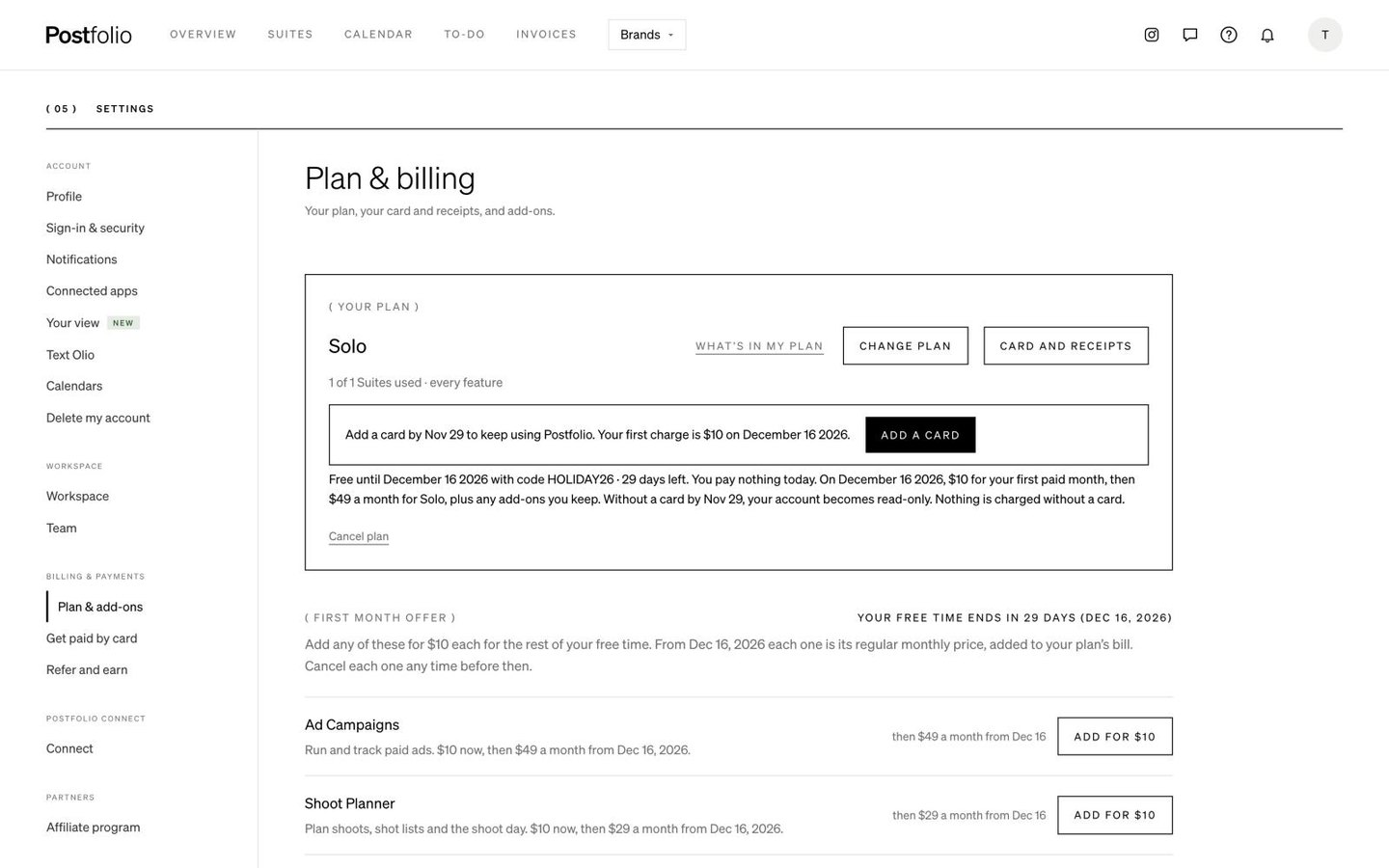
Open Plan & add-ons
Press your initial at the top right, then Your settings › Plan & add-ons.
02
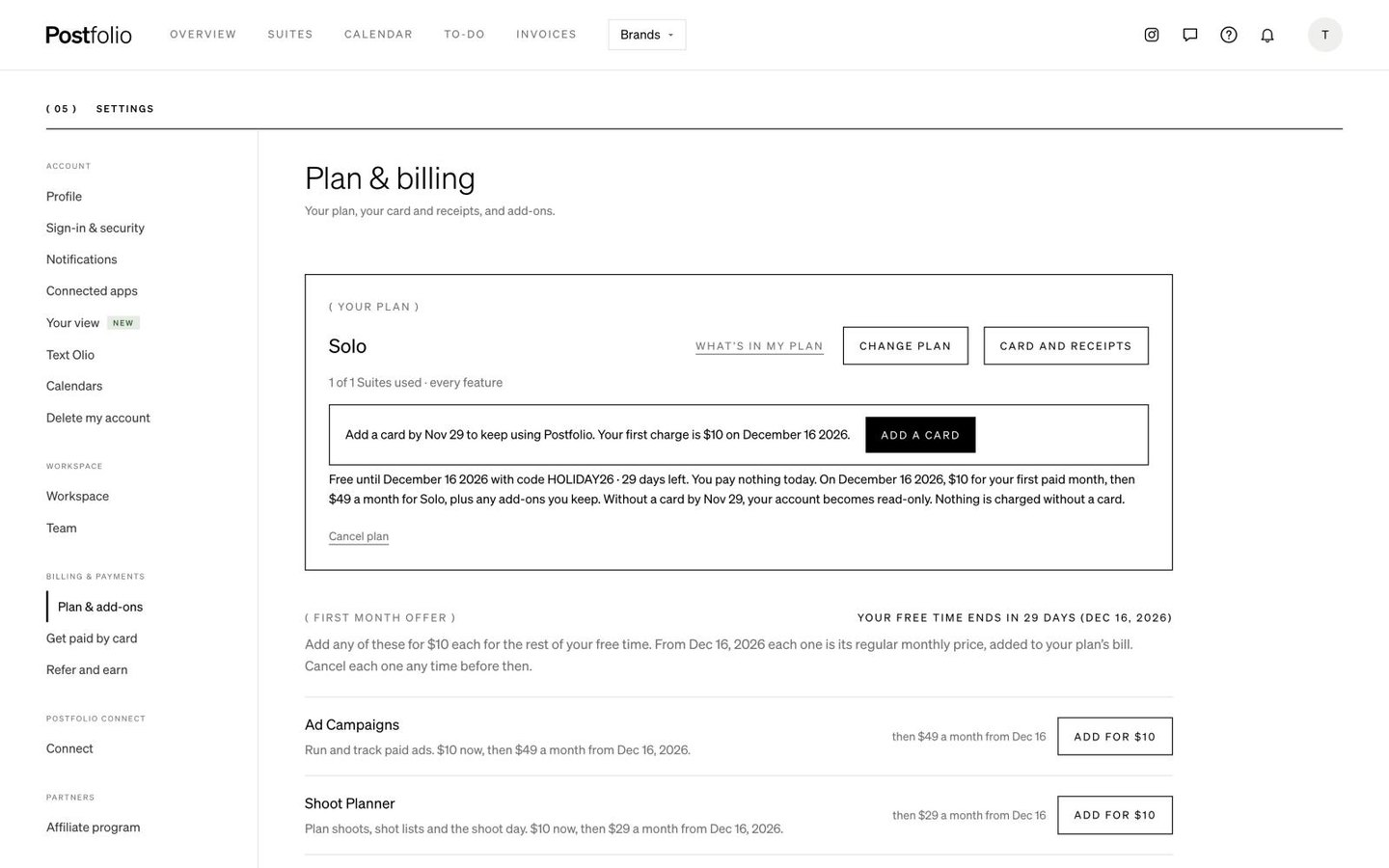
Check your dates
It shows when your free time ends and what your first charge will be. Nothing is charged without a card.
03
Add a card
Add a card before the date to keep going.
04
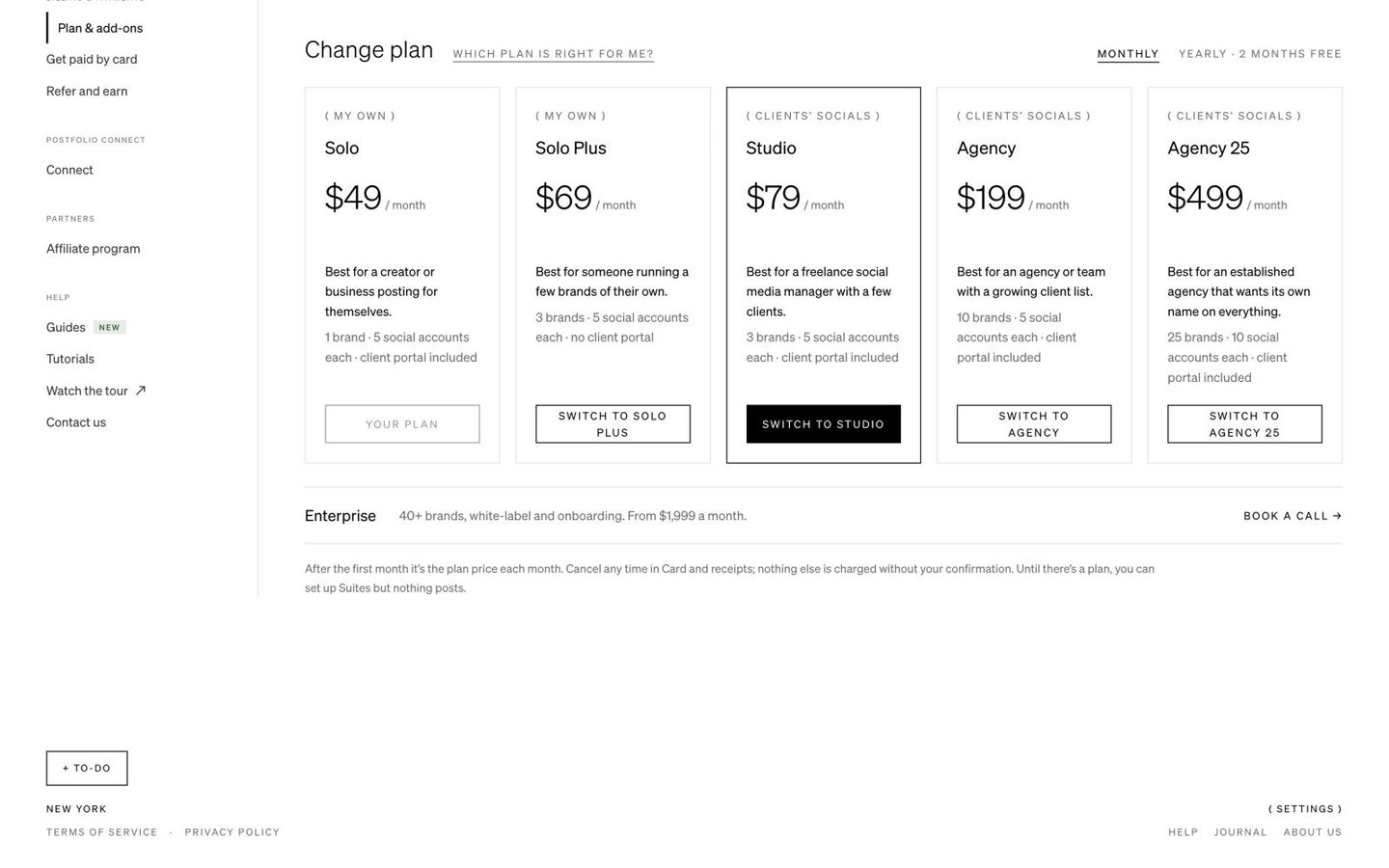
Change plan
Change plan shows every plan side by side and who each is for: Solo for one brand (your own, or one client), Solo Plus for up to three of your own brands, and Studio and up for clients’ brands.
05
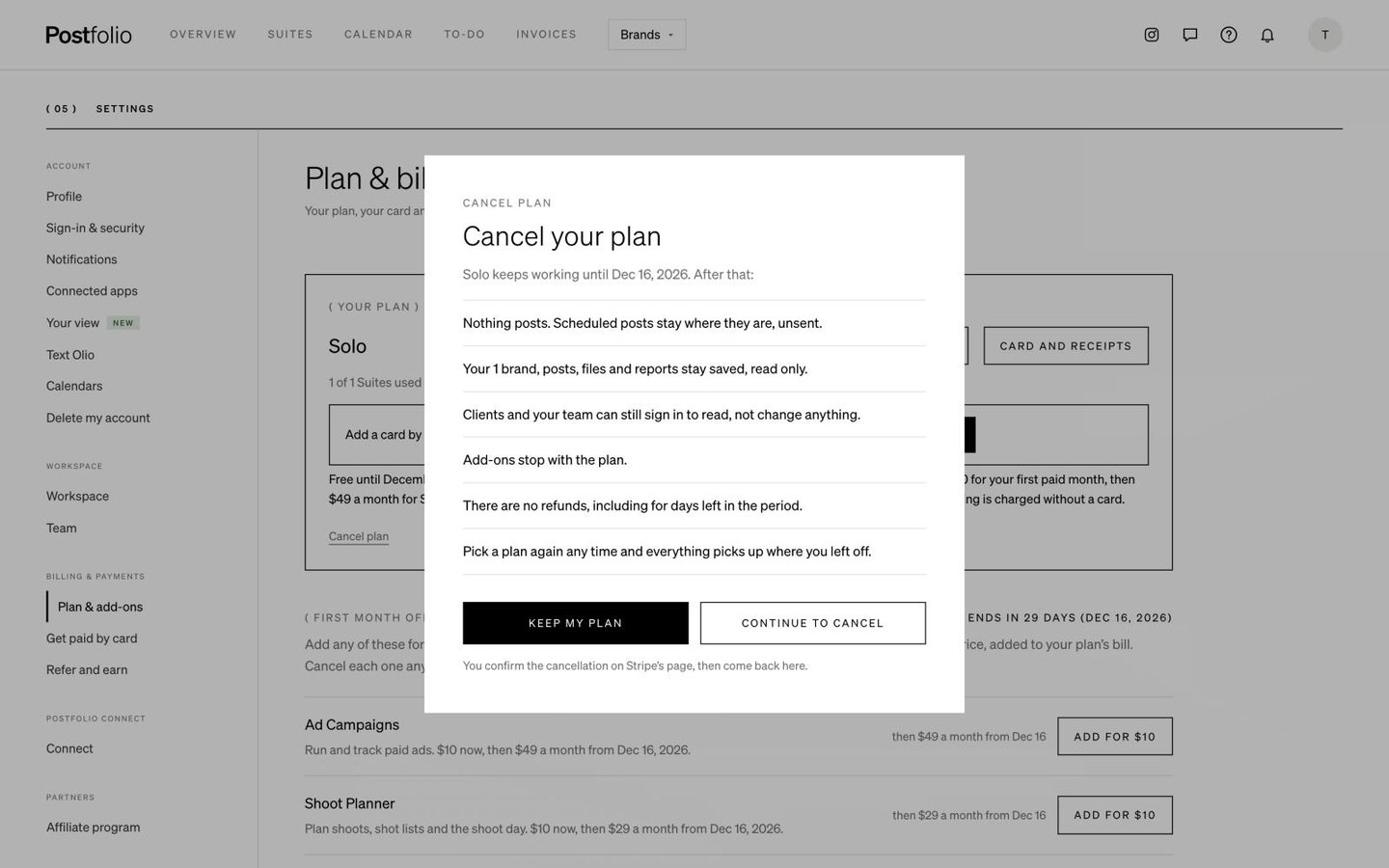
Cancel
Cancel plan shows what stays saved. Your brands, posts and files stay, read only, and you can pick a plan again any time.
Next tutorial
 Set up your Postfolio account →Getting started · 64 sec
Try it in Postfolio
Open Postfolio and follow the steps.
New to Postfolio? Your first month is $10 on monthly plans, then the regular price. Have a free-month code? 30 days free, no card to start, a card by day 14.
Still stuck? Write to us or book a walkthrough.