Preview your Instagram grid
See the brand’s real profile with your planned posts in it, and drag them into the right order.
01
Open the Grid
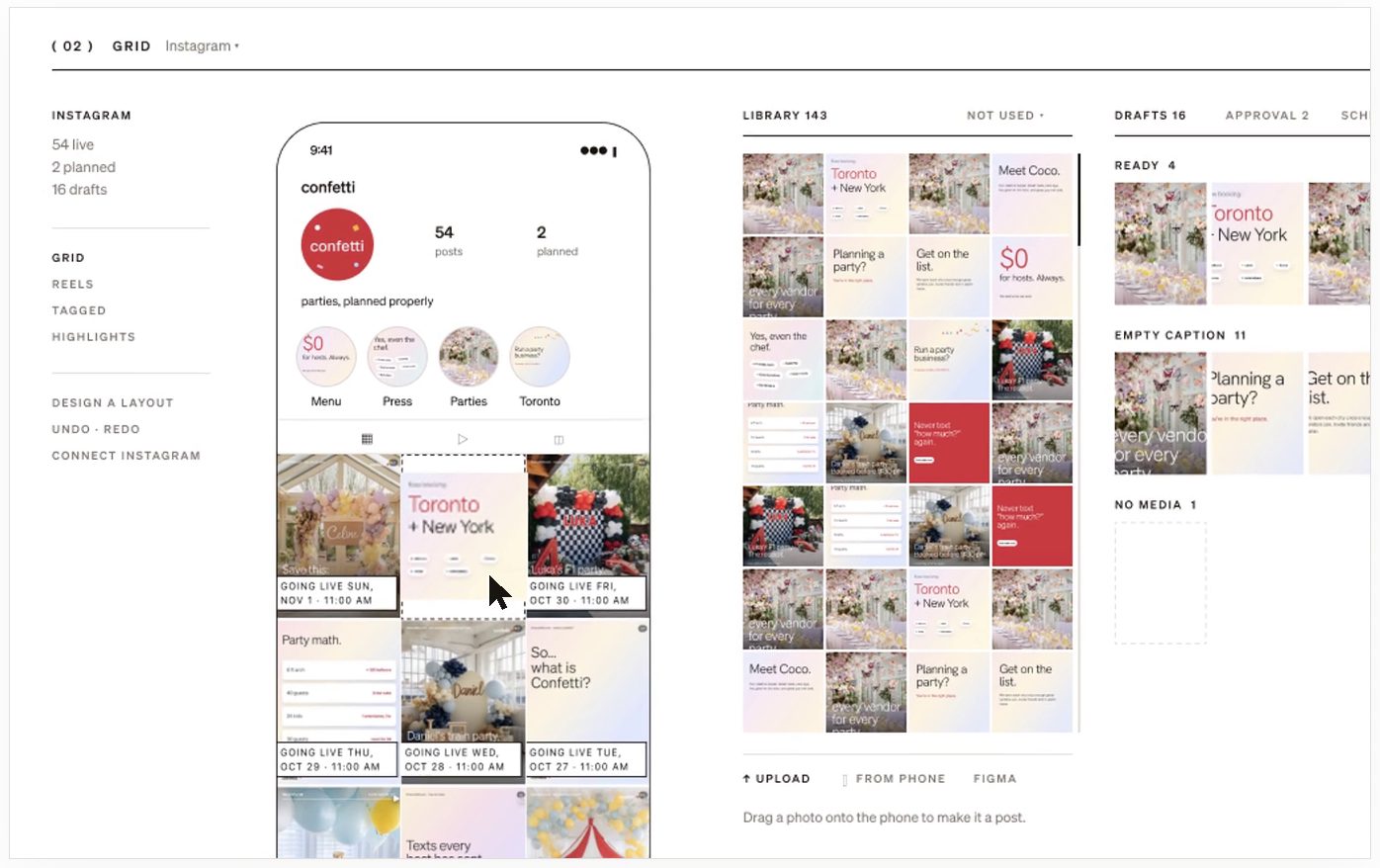
Open a Suite and choose Grid. The phone shows the brand’s Instagram profile: posts already live, with your planned posts above them in the order followers will see them.
02
Make a post from a photo
Your library sits beside the phone. Drag a photo onto the phone to make it a post. Tick two or more photos to make a carousel.
03
Change the order
Drag a tile to a new place and the grid reflows around it. Each tile shows the day and time it goes out.
04
Add photos from your phone
Scan the QR code on the Grid to upload straight from your camera roll.
05
Send it for approval
Drafts are grouped by what they still need: a caption, media, a time or your client’s yes. Send drafts to your client from here. Going out shows what publishes in the next 7 days.
Still stuck? Write to us or book a walkthrough.