( Olio )
Olio, the assistant you text.
Olio is the first assistant of its kind you text over iMessage, right from your phone. Send it photos and a line, and the draft is waiting in Postfolio when you sit down.
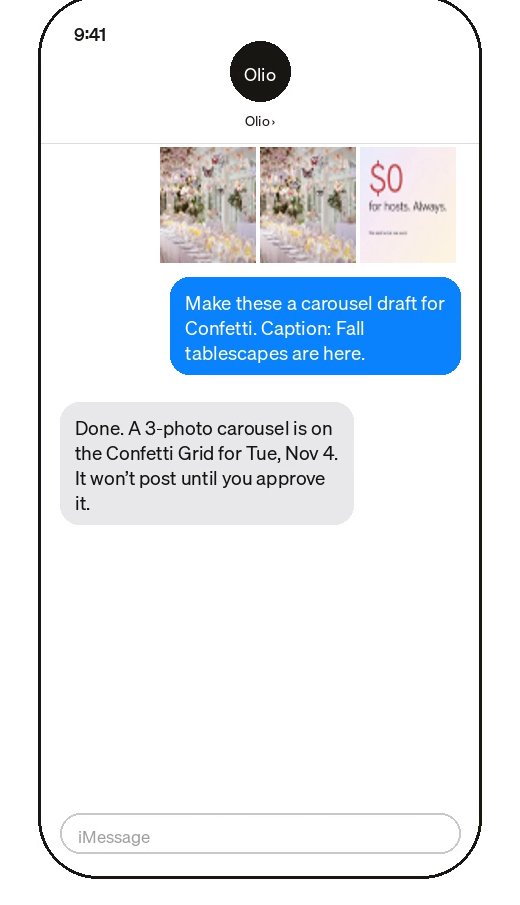
01
Drafts from your camera roll
Text Olio photos and say what they’re for. It makes the draft, writes a caption in the brand’s voice and puts it on the brand’s Grid.
02
It asks before anything goes out
Olio makes drafts. Nothing posts until you, or your client, approve it.
03
Plan the month with it
In Postfolio, Olio drafts a month of posts from the brand’s strategy. Keep what works, swap or edit the rest.
04
Ask it about your brands
What’s going out this week, and what’s waiting on a client.
How it works
- 1Turn on Text Olio in Settings and add your number.
- 2Text Olio a photo and what it’s for.
- 3Open Postfolio to review the draft and schedule it.
Questions
- Do I need an iPhone?
- Texting Olio uses iMessage. Inside Postfolio, Olio works on any device.
- Will Olio post without me?
- No. Olio makes drafts. Posts go out only once they’re approved.
More in Postfolio
( Postfolio )
Plan, approve and publish for every brand you run.
A calendar for every brand, a Grid that shows the real Instagram profile, client approvals, reports and invoices. Your first month is $10.