( Calendar )
A content calendar for every brand you run.
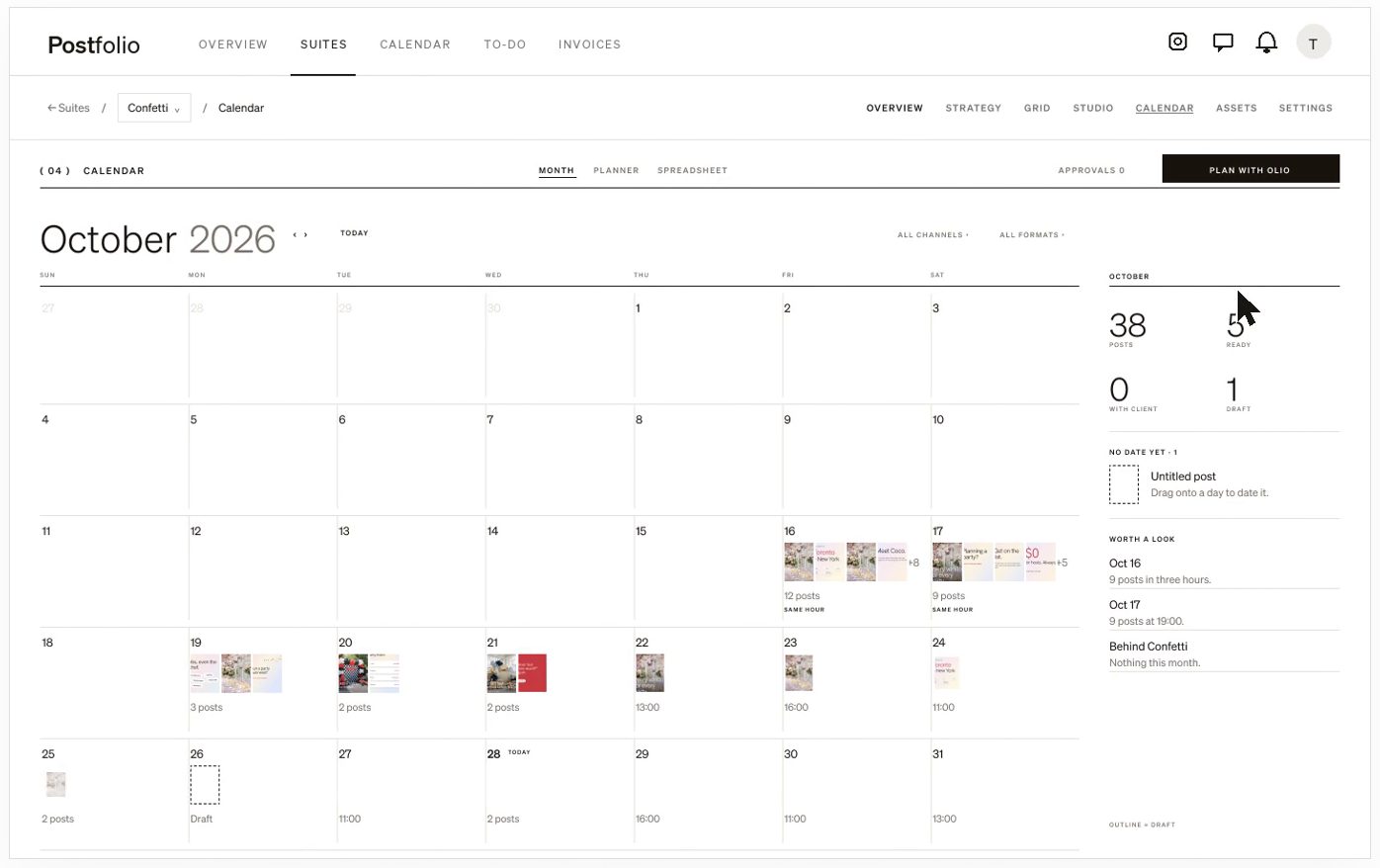
See the month for one brand or all of them. Drafts, posts waiting on a client and scheduled posts each read differently, so you know what needs you at a glance.
01
Plan the month, then fill it
Put posts on their days, drag them to move them, and keep ideas without a date to one side until they have a place.
02
Four channels
Schedule to Instagram, TikTok, Facebook and Pinterest. Each post shows where it’s going and when.
03
What needs you
Posts waiting on a client, posts without a caption and posts that couldn’t go out are marked, so nothing slips.
How it works
- 1Add the brand and connect its channels.
- 2Plan the month on the calendar, or ask Olio to draft it with you.
- 3Send for approval and schedule.
Questions
- Can I see all my brands at once?
- Yes. The calendar shows one brand or every brand you run.
- Which channels does it post to?
- Instagram, TikTok, Facebook and Pinterest.
- Can I bring my calendar from another tool?
- Yes. Import a spreadsheet of your posts and each row becomes a draft with its caption, date and photos.
More in Postfolio
( Postfolio )
Plan, approve and publish for every brand you run.
A calendar for every brand, a Grid that shows the real Instagram profile, client approvals, reports and invoices. Your first month is $10.