Getting startedVideo · 35 sec · 4 steps · November 17, 2026
Add a brand
Every brand gets its own Suite: its channels, posts, approvals and reports. Use your own name if you’re posting as yourself.
01
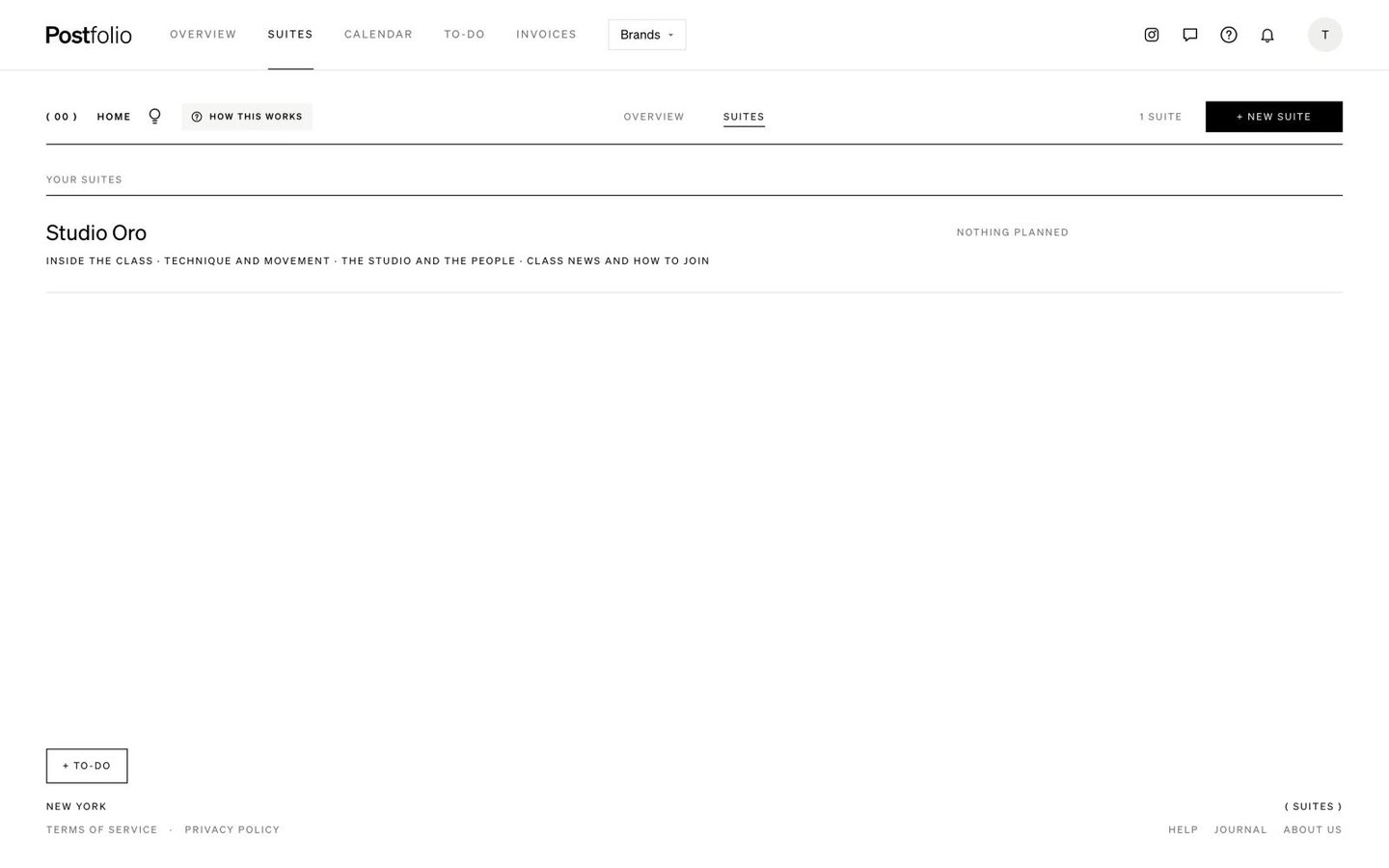
Press + New Suite
Open Suites from the top bar and press + New Suite.
02
Name it
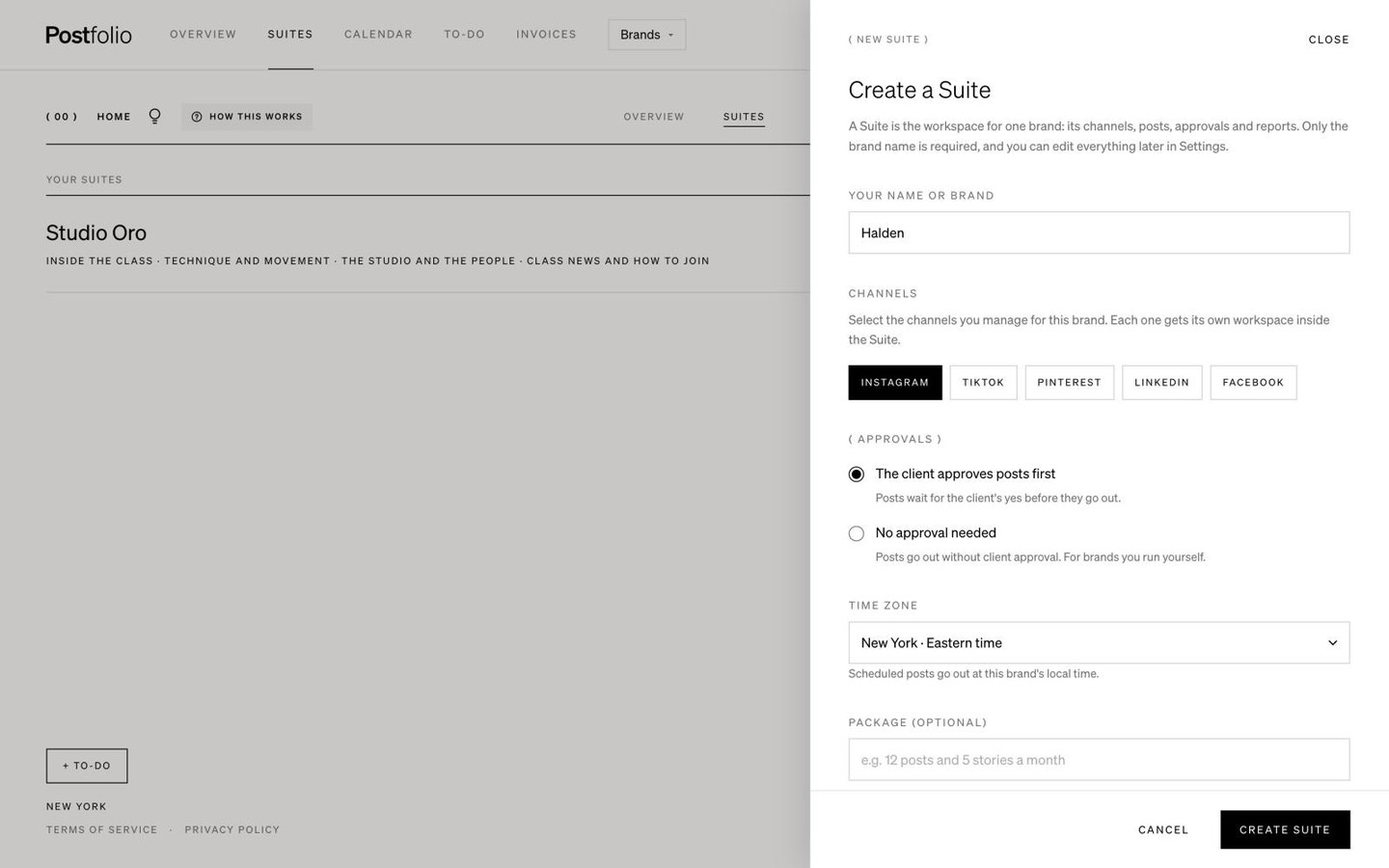
Type the brand’s name. Posting as yourself? Use your own name.
03
Pick channels and approvals
Choose the channels it posts to. For a client, the client approves posts first. For your own brand, no approval needed.
04
Create the Suite
Only the name is needed. You can change everything later in the Suite’s Settings.
Next tutorial
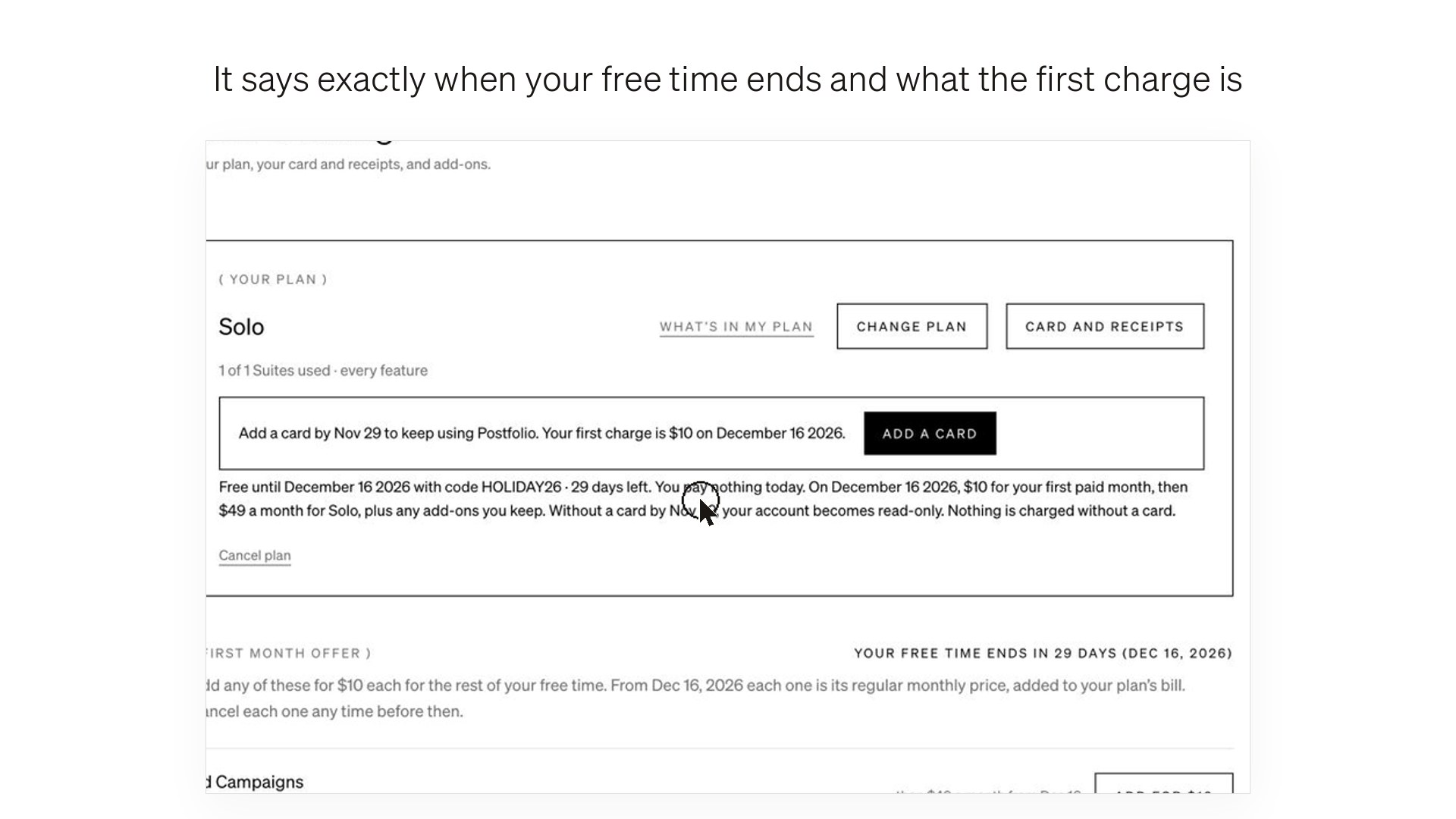 Your plan, the first month and cancelling →Billing · 39 sec
Try it in Postfolio
Open Postfolio and follow the steps.
New to Postfolio? Your first month is $10 on monthly plans, then the regular price. Have a free-month code? 30 days free, no card to start, a card by day 14.
Still stuck? Write to us or book a walkthrough.