( Client portal )
A portal for each client, with your name on it.
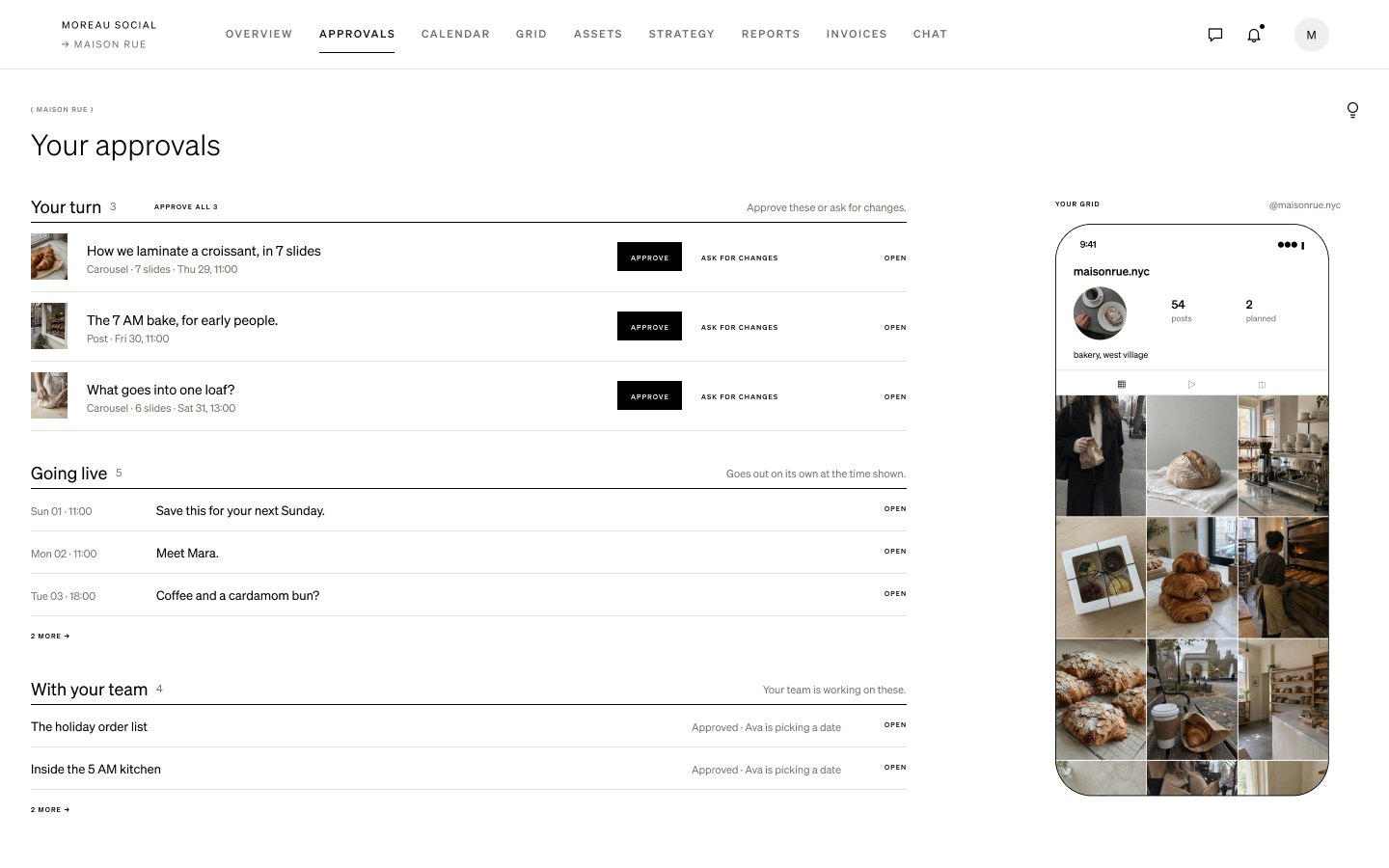
Clients sign in to their own brand’s portal. They see what’s waiting for them, what’s going live and their grid, and nothing from your other clients.
01
Your agency’s name at the top
The portal shows your agency’s name with the client’s brand under it, so it reads as your service.
02
Everything they need, nothing else
Overview, Approvals, Calendar, Grid, Assets, Strategy, Reports, Invoices and Chat, for their brand only.
03
Approve in a click
They open a post, see every slide, the caption and your note, then approve it or ask for changes.
04
Choose how involved they are
Invite each person as Full collaboration, Low collaboration, Comment only or Viewer, and change it any time.
How it works
- 1Open the Suite’s Settings › Portal & invites.
- 2Add the client’s name and email and choose what they can do.
- 3They get an email, sign in with a code and land on their portal.
Questions
- Do clients need a password?
- No. They sign in with a 6-digit code sent to their email.
- Do clients pay for the portal?
- No. Clients are invited on your plan.
- Can a client see my other clients?
- No. Each portal shows one brand, and only to the people invited to it.
Related
( Postfolio )
Plan, approve and publish for every brand you run.
A calendar for every brand, a Grid that shows the real Instagram profile, client approvals, reports and invoices. Your first month is $10.