( Shoot Planner )
Plan the shoot before anyone picks up a camera.
The Shoot Planner holds every shoot for a brand, from the first concept to shoot day. Your client approves each concept, and the day’s running order builds itself from the ones they said yes to.
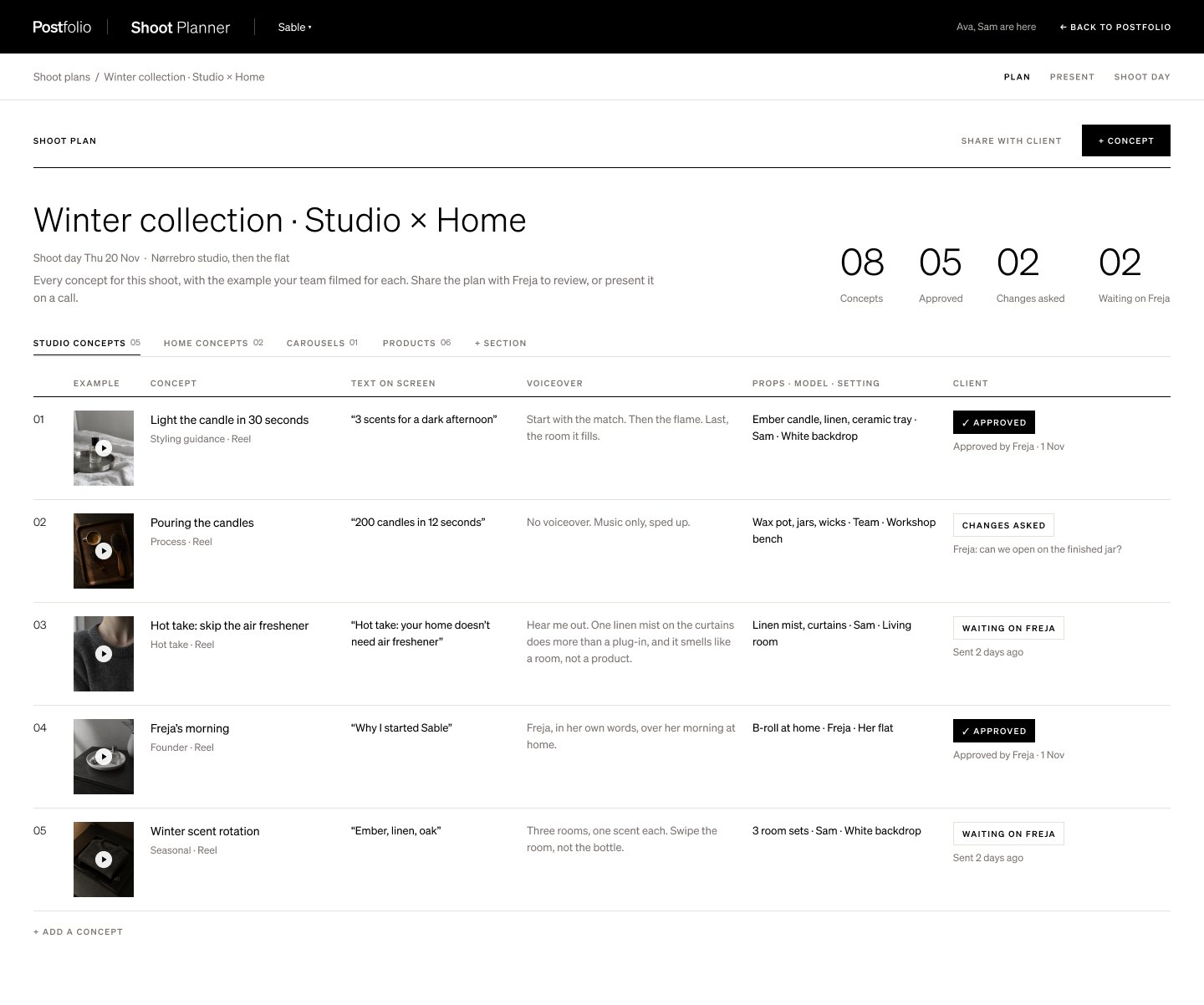
01
Concepts, not a loose brief
Each concept has an example video, the script or words on screen, the products and outfit, and who’s in it. Everyone arrives knowing what they’re making.
02
The client approves each one
Send the plan and your client sees one concept per page. They approve it or ask for changes on that concept, without a call or a long email.
03
Shoot day, already planned
Approved concepts become the running order for the day, with the props and people each one needs listed against it.
04
Every shoot for the brand
Plans sit together with their status and shoot date, so you can see what’s with the client, what’s approved and what’s been shot.
How it works
- 1Open the brand’s Shoot Planner and start a plan.
- 2Add concepts with an example, script, products and people.
- 3Send it to the client, then shoot from the running order.
Questions
- Does my client need an account?
- Your client is invited to their brand’s portal on your plan, where they approve the concepts.
- Can I see an example of how it works?
- Yes. The tutorial at getpostfolio.com/tutorials/plan-a-shoot-with-the-shoot-planner walks through a whole plan, from the first concept to shoot day.
- How much is it?
- Your first month is $10 on any plan. After that it’s the plan’s monthly price, and you can cancel any time.
More in Postfolio
( Postfolio )
Plan, approve and publish for every brand you run.
A calendar for every brand, a Grid that shows the real Instagram profile, client approvals, reports and invoices. Your first month is $10.