BillingVideo · 40 sec · 7 steps · November 4, 2026
Refer and earn
Share your link and get $10 off one of your bills for every person you send who pays full price.
01
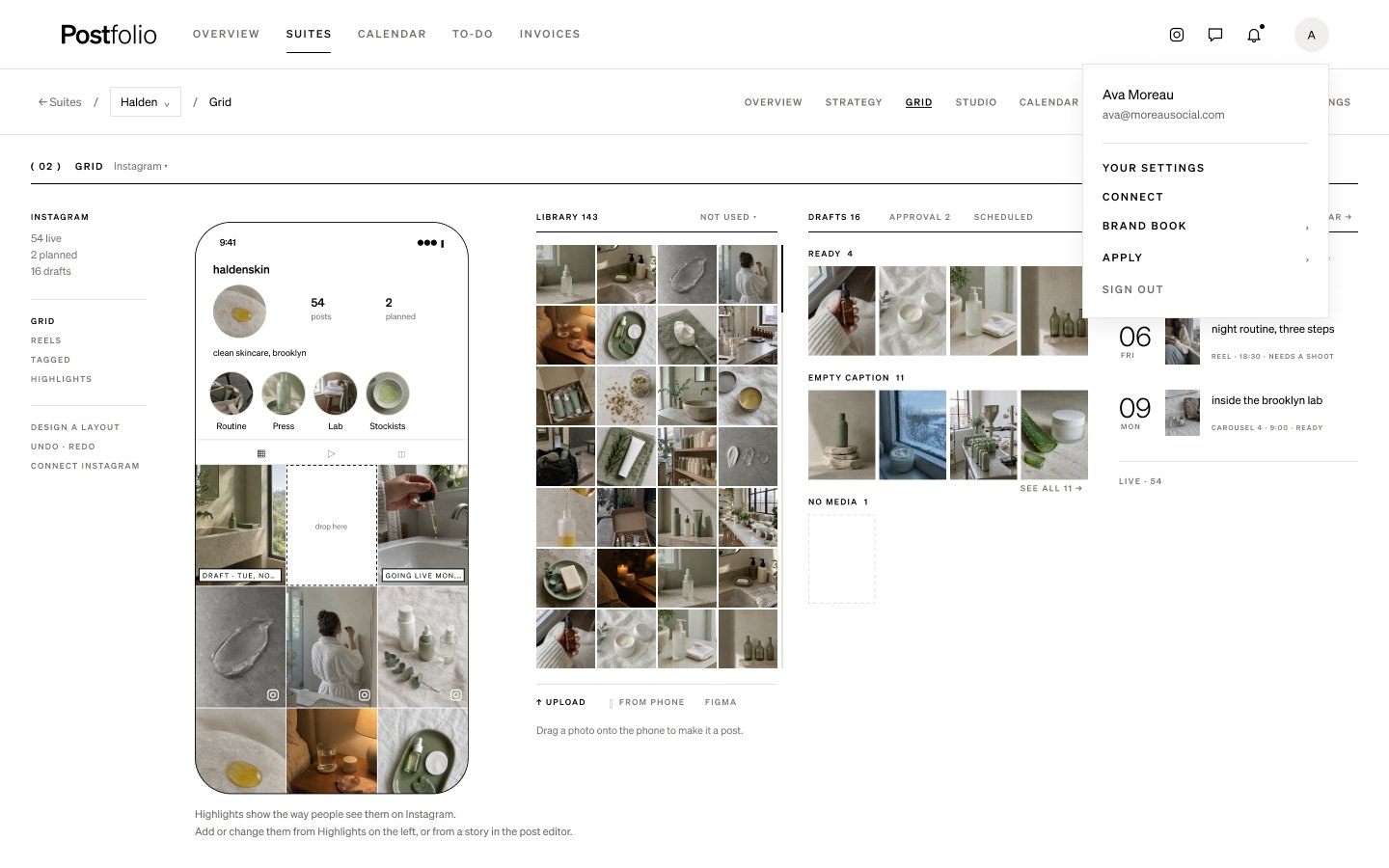
Open your settings
Press your initial at the top right of any page, then Your settings.
02
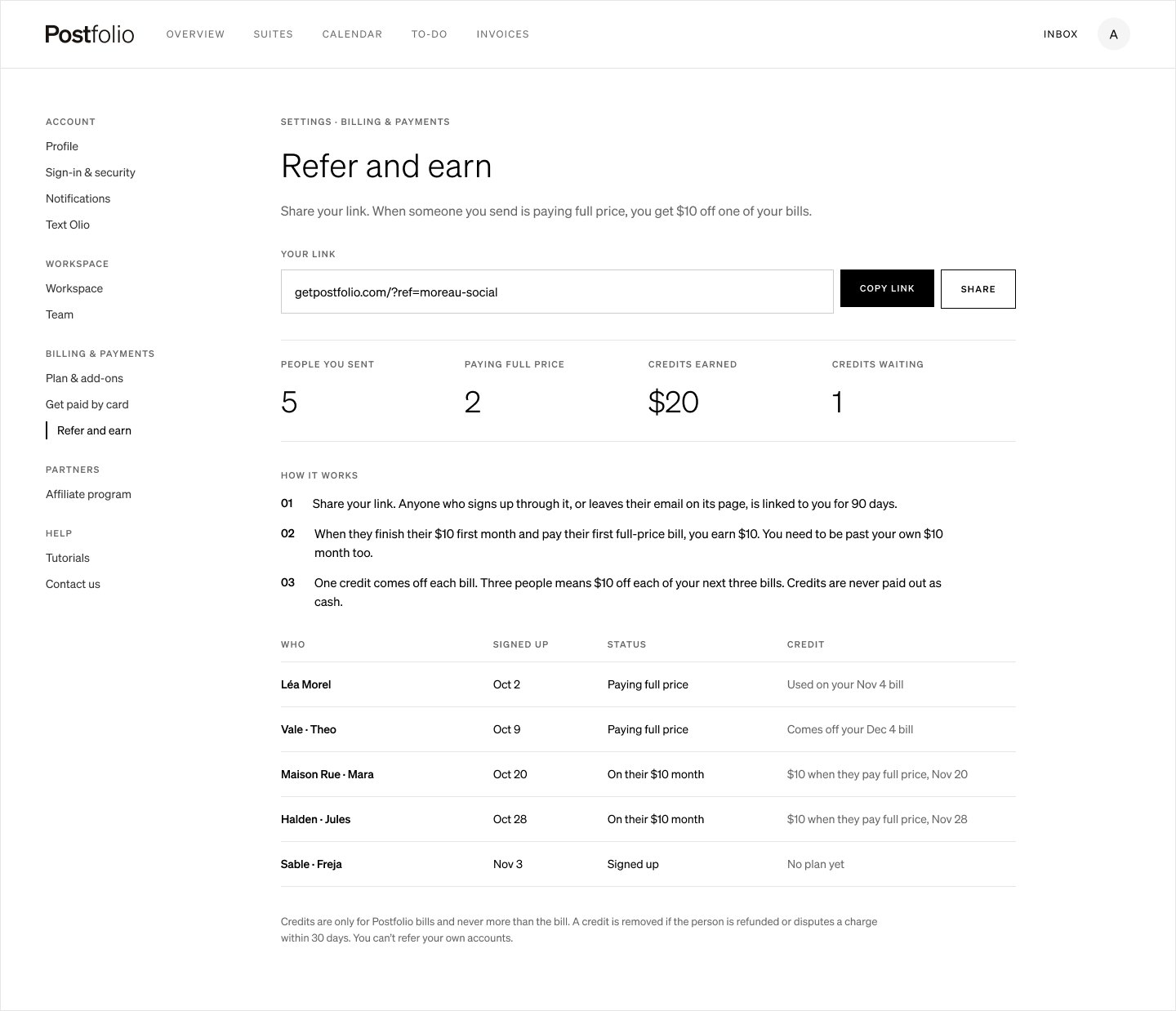
Find Refer and earn
In Settings, choose Refer and earn under Billing & payments.
03
Copy your link
Copy your link or press Share. Anyone who signs up through it, or leaves their email on its page, is linked to you for 90 days.
04
How you earn
When someone you sent finishes their $10 first month and pays their first full-price bill, you earn $10. You need to be past your own $10 month too.
05
See who you sent
The page counts the people you sent, how many are paying full price, the credits you’ve earned and the ones still waiting. The list shows each person, when they signed up, where they are and when their credit comes off.
06
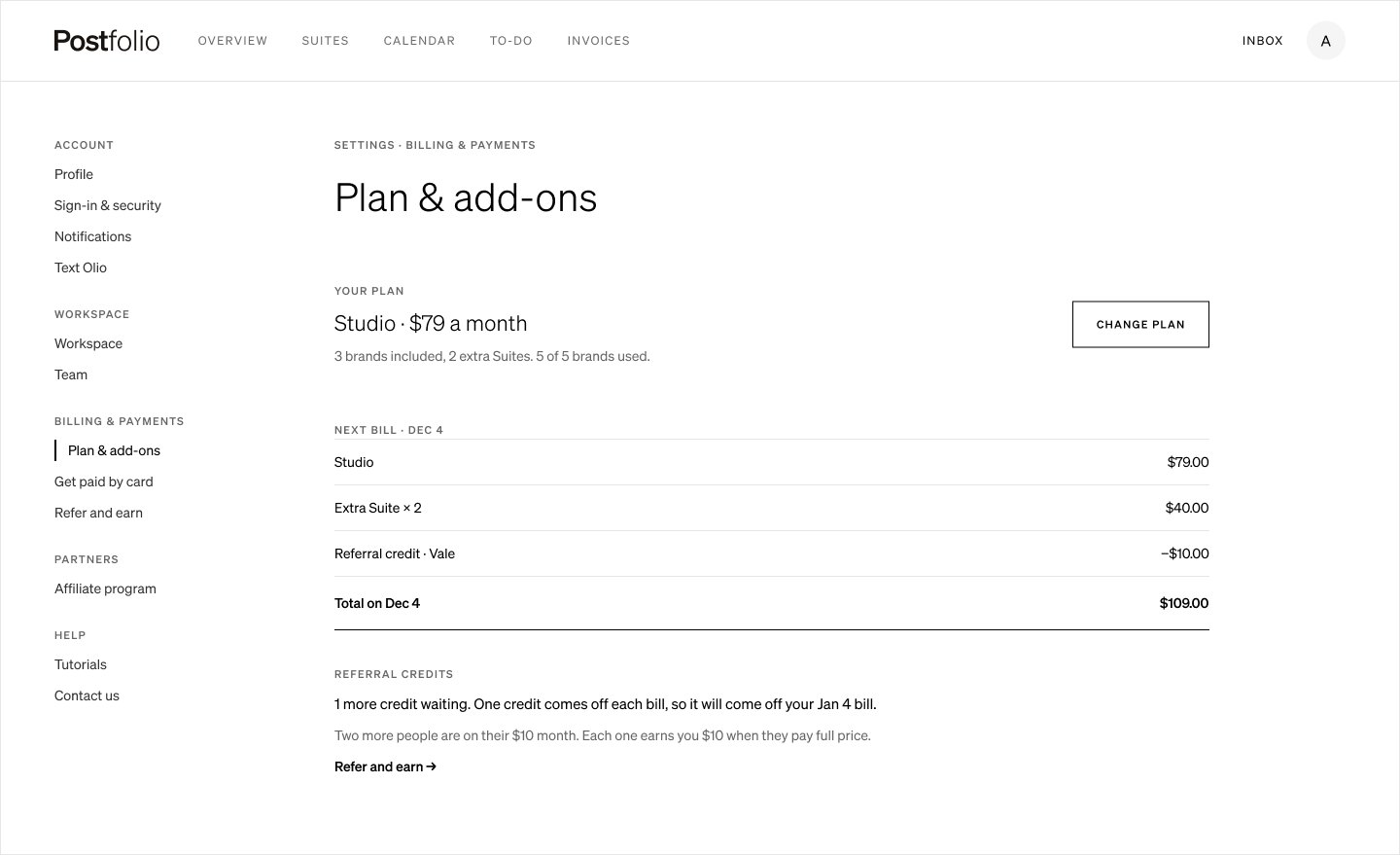
Credits come off your bills
One credit comes off each bill, so three people means $10 off each of your next three bills. Plan & add-ons shows the credit on your next bill. Credits are only for Postfolio bills, never more than the bill and never paid out as cash.
07
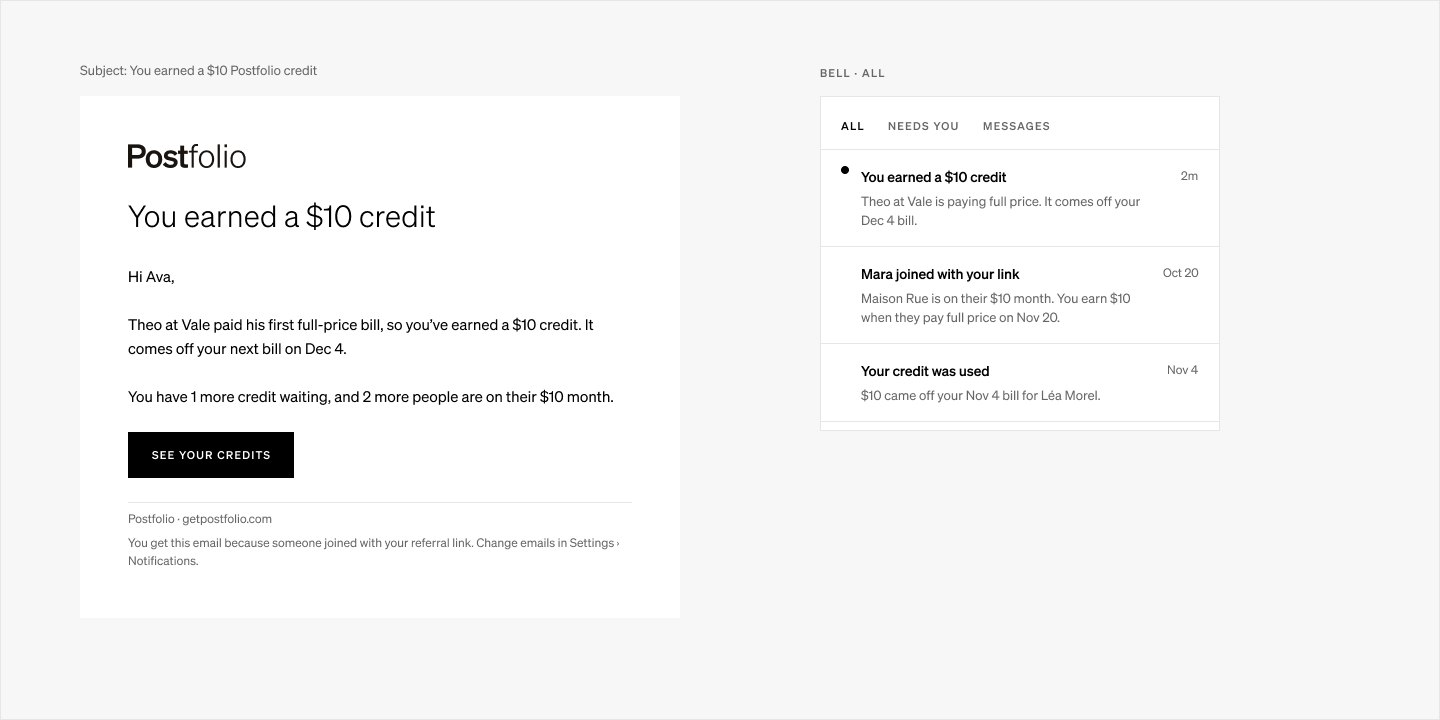
Know when you earn one
You get an email and a notification in the bell each time you earn a credit, when someone joins with your link and when a credit is used.
Next tutorial
 Plan a shoot with the Shoot Planner →Planning · 36 sec
Try it in Postfolio
Open Postfolio and follow the steps.
New to Postfolio? Every plan is $10 for the first month.
Still stuck? Write to us or book a walkthrough.