Clients and approvalsVideo · 27 sec · 5 steps · November 4, 2026
Share your content plan and Grid with a client
Invite your client to their portal to see their Grid and what’s coming up, and share the month’s plan for them to approve.
01
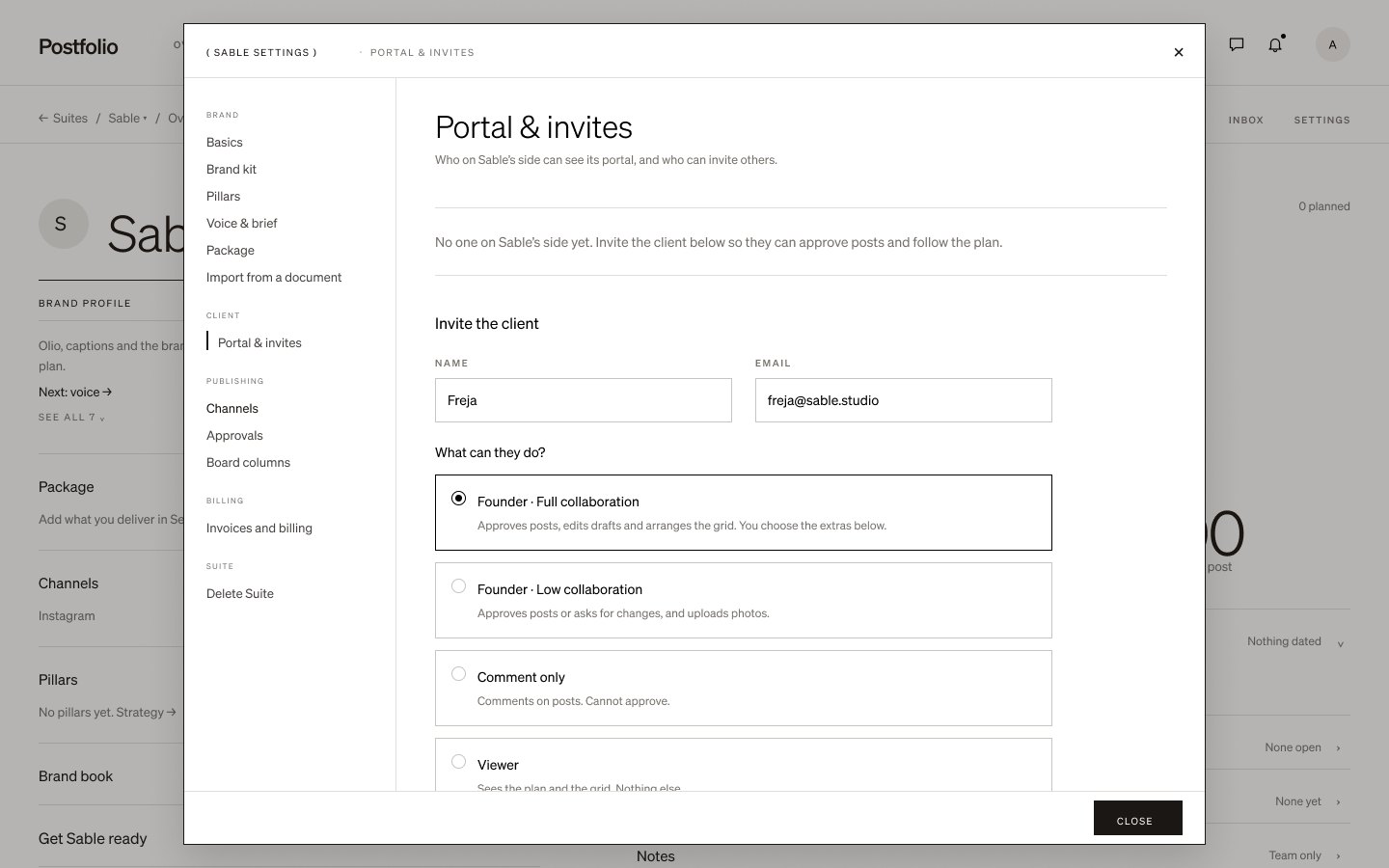
Invite your client
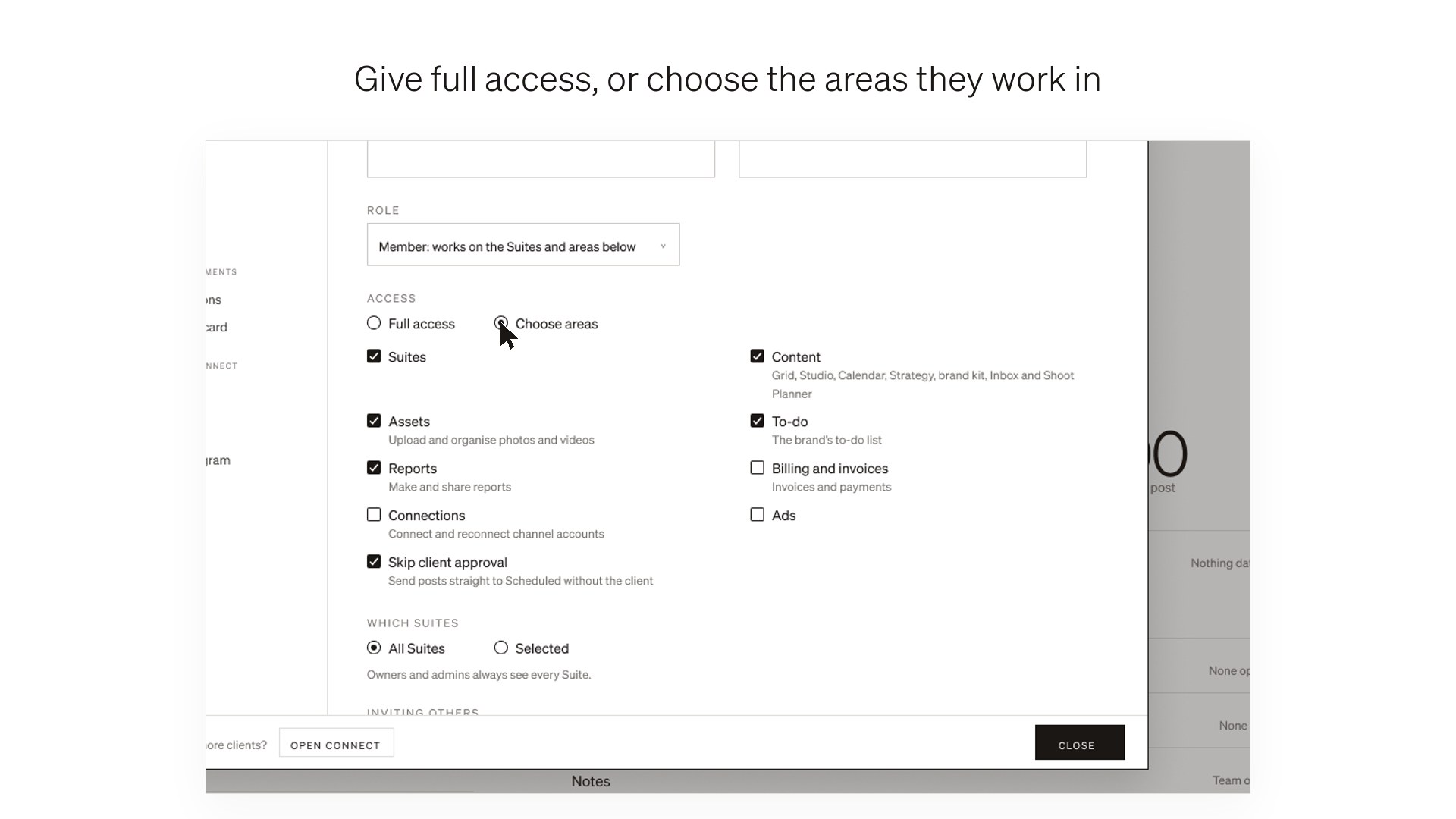
On the Grid, press Share with your client, or open the Suite’s Settings › Portal & invites. Add their name and email and choose what they can do: Full collaboration, Low collaboration, Comment only or Viewer.
02
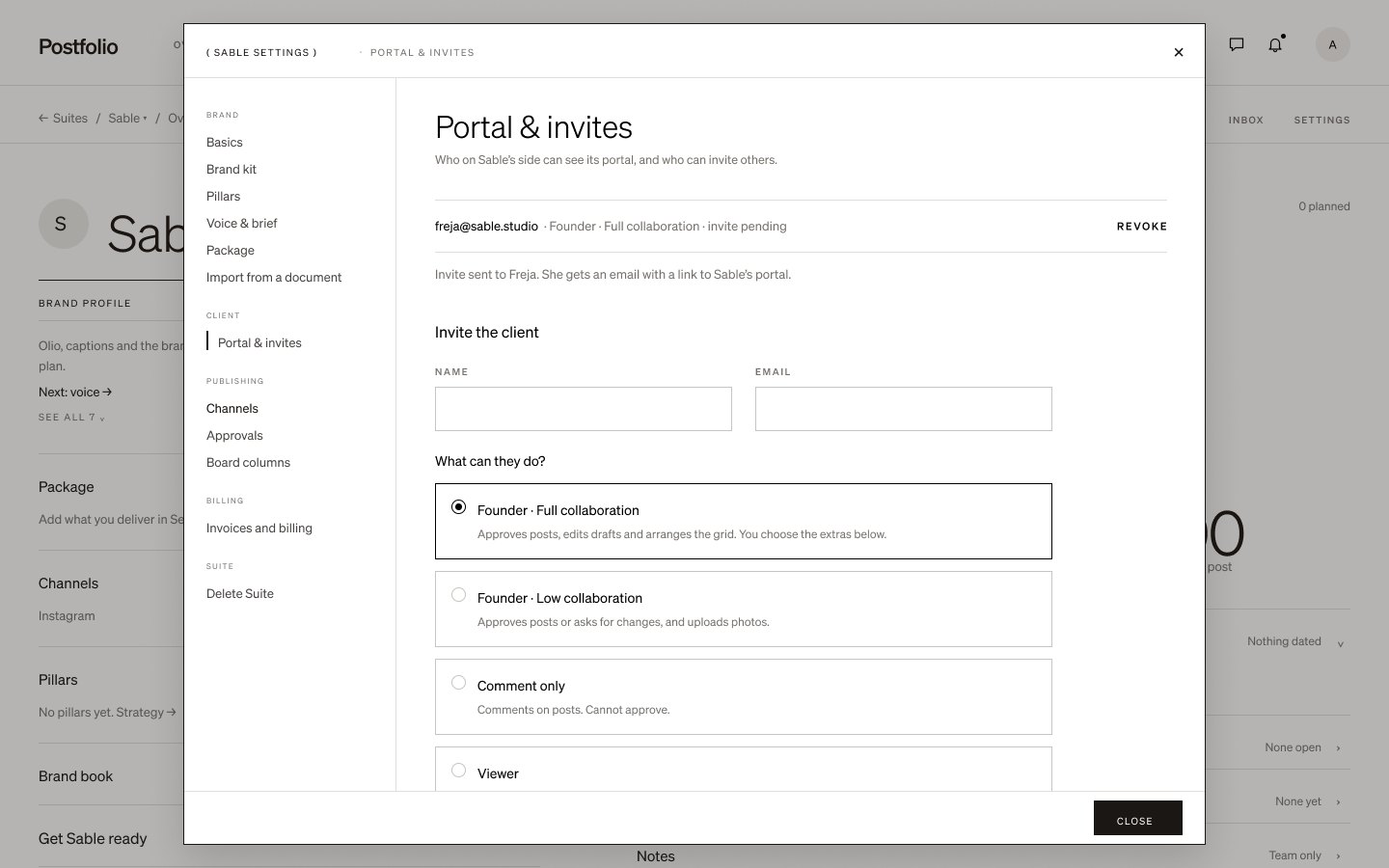
They sign in with a code
They get an email with a link to their portal and sign in with a 6-digit code. There is no password to create.
03
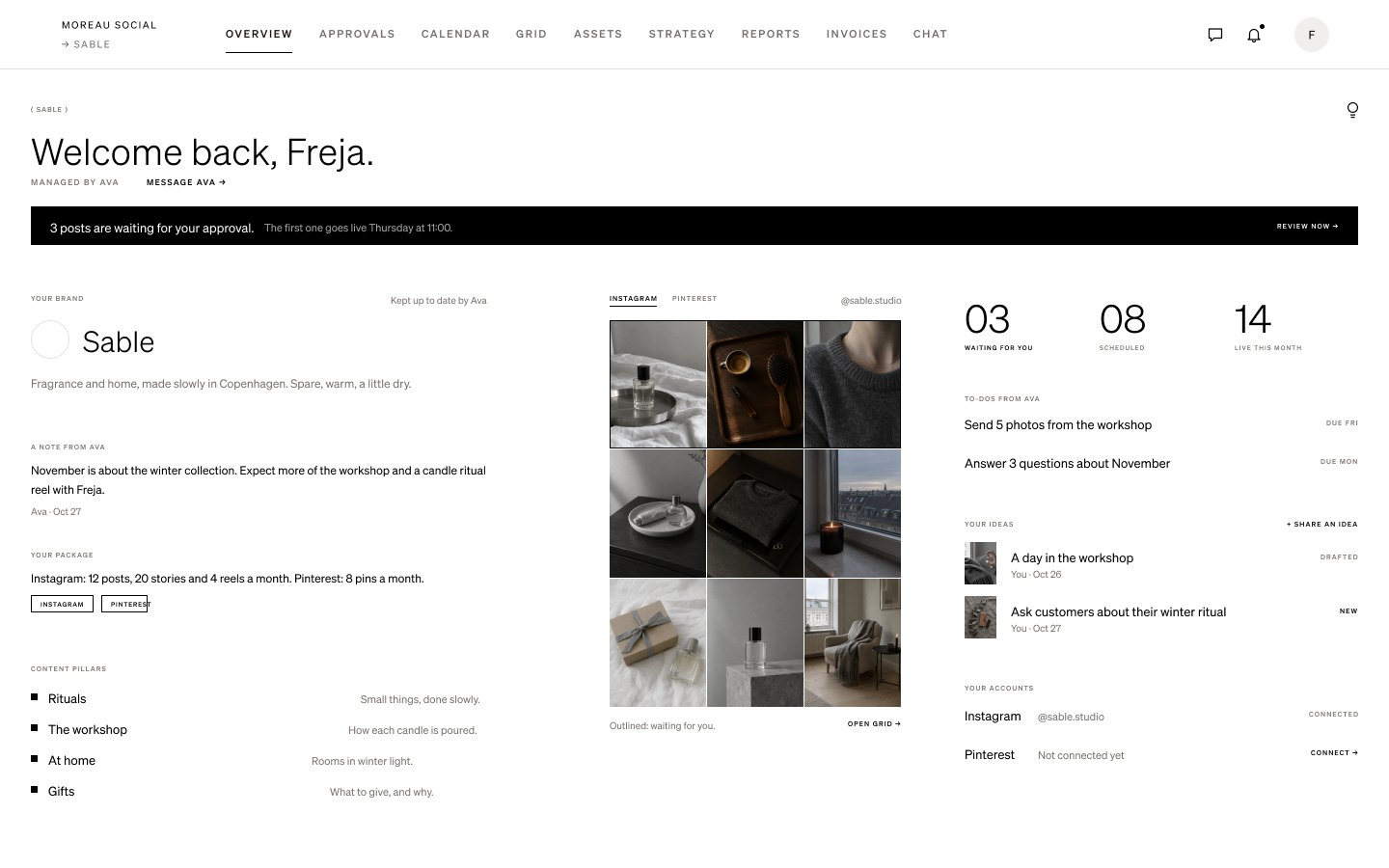
Their Grid and what’s coming
Their portal shows their Grid with your planned posts in the order they go out, what’s waiting for their approval, and what’s scheduled. They only ever see their own brand.
04
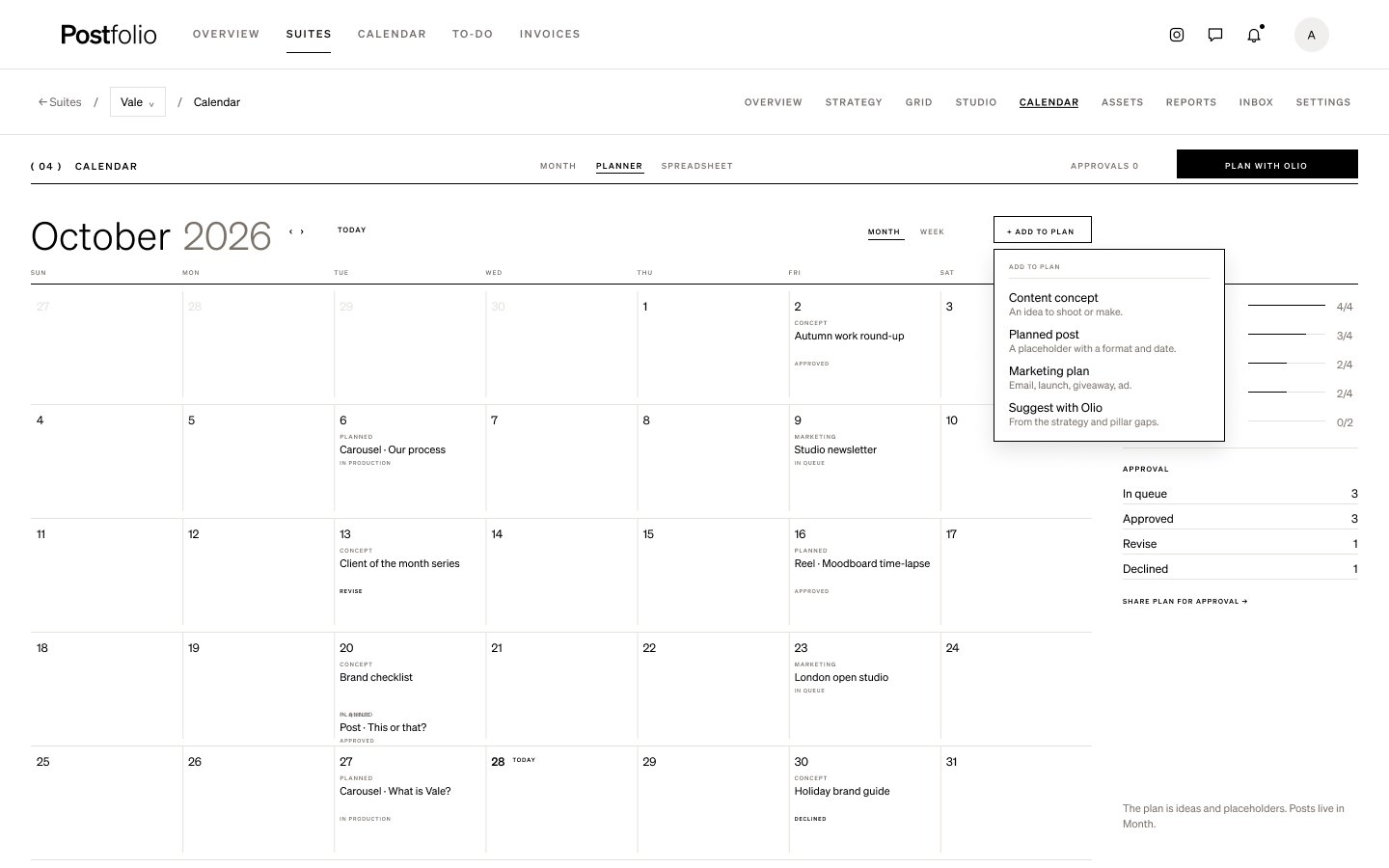
Share the month’s plan
In Calendar › Planner, plan concepts, planned posts and marketing plans, then press Share plan for approval. Your client approves the plan, or asks for changes, from their portal.
05
Approvals from the email too
When you send posts for approval, your client can approve each one straight from the email.
Approve posts from the email →
Next tutorial
 Invite your team →Getting started · 40 sec
Try it in Postfolio
Open a Suite and choose Grid.
New to Postfolio? Every plan is $10 for the first month.
Still stuck? Write to us or book a walkthrough.