Clients and approvalsVideo · 54 sec · 8 steps · November 4, 2026
Present a plan or report to your client
Turn the posts going out, or last month’s results, into a deck your client can open, approve and comment on, or download as a PDF.
01
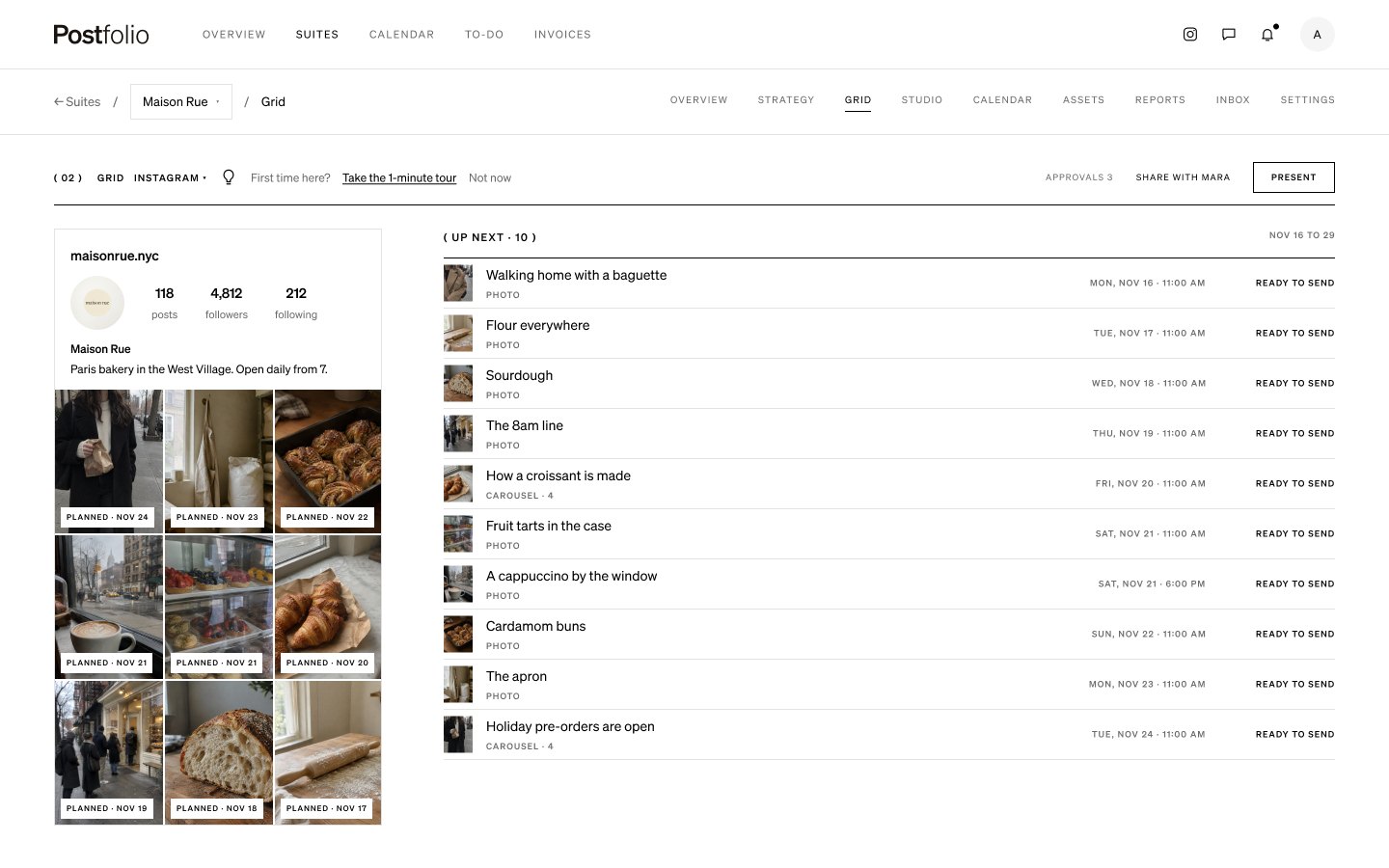
Press Present
Present sits at the top of the Grid, the Calendar, Reports and the brand’s Overview.
02
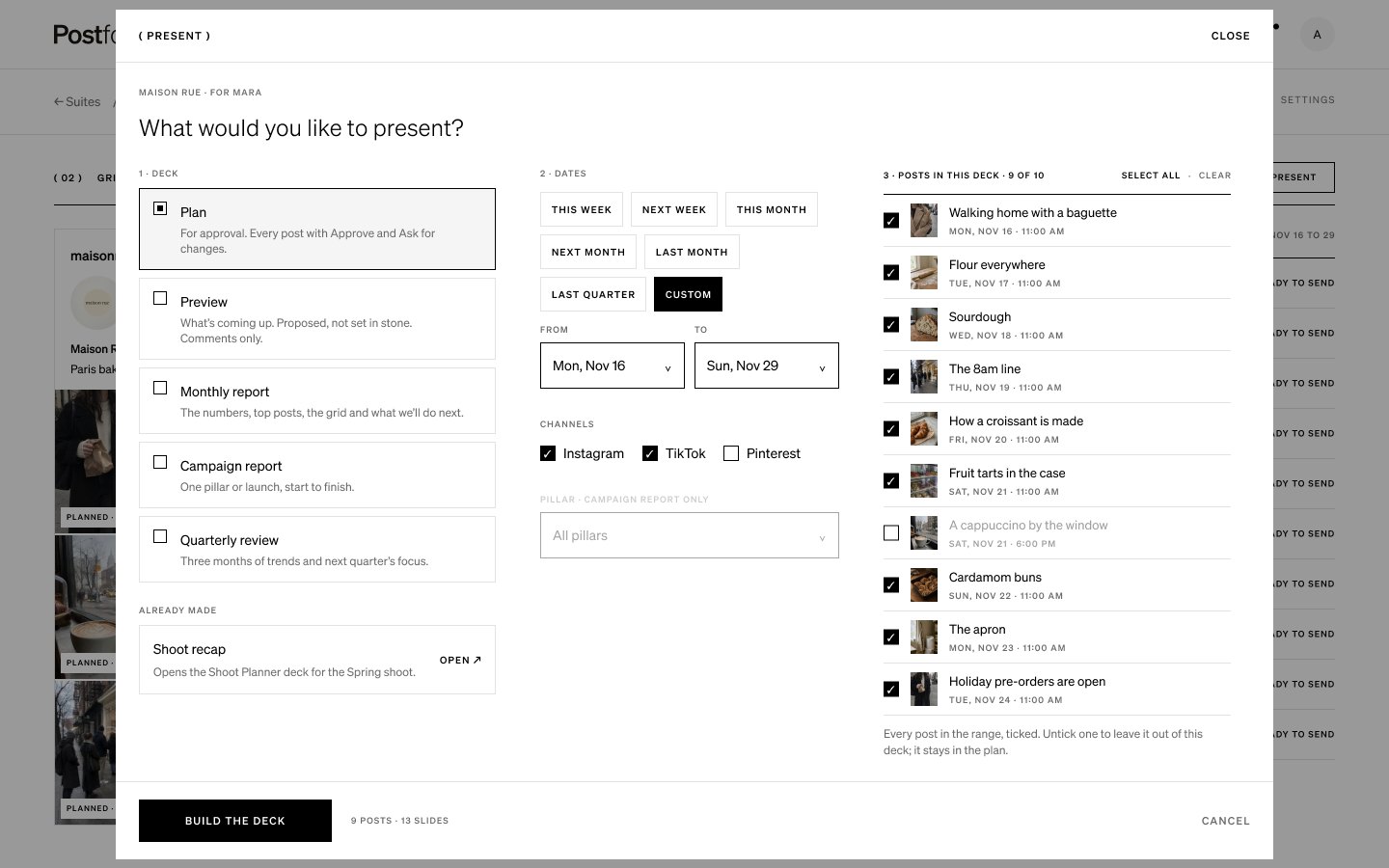
Pick what to present
Choose a Plan for approval, a Preview, or a Monthly report, Campaign report or Quarterly review. Pick the dates (this week, next month, last quarter or custom) and the channels. Every post in those dates is ticked. Untick one to leave it out of the deck, and it stays in the plan.
03
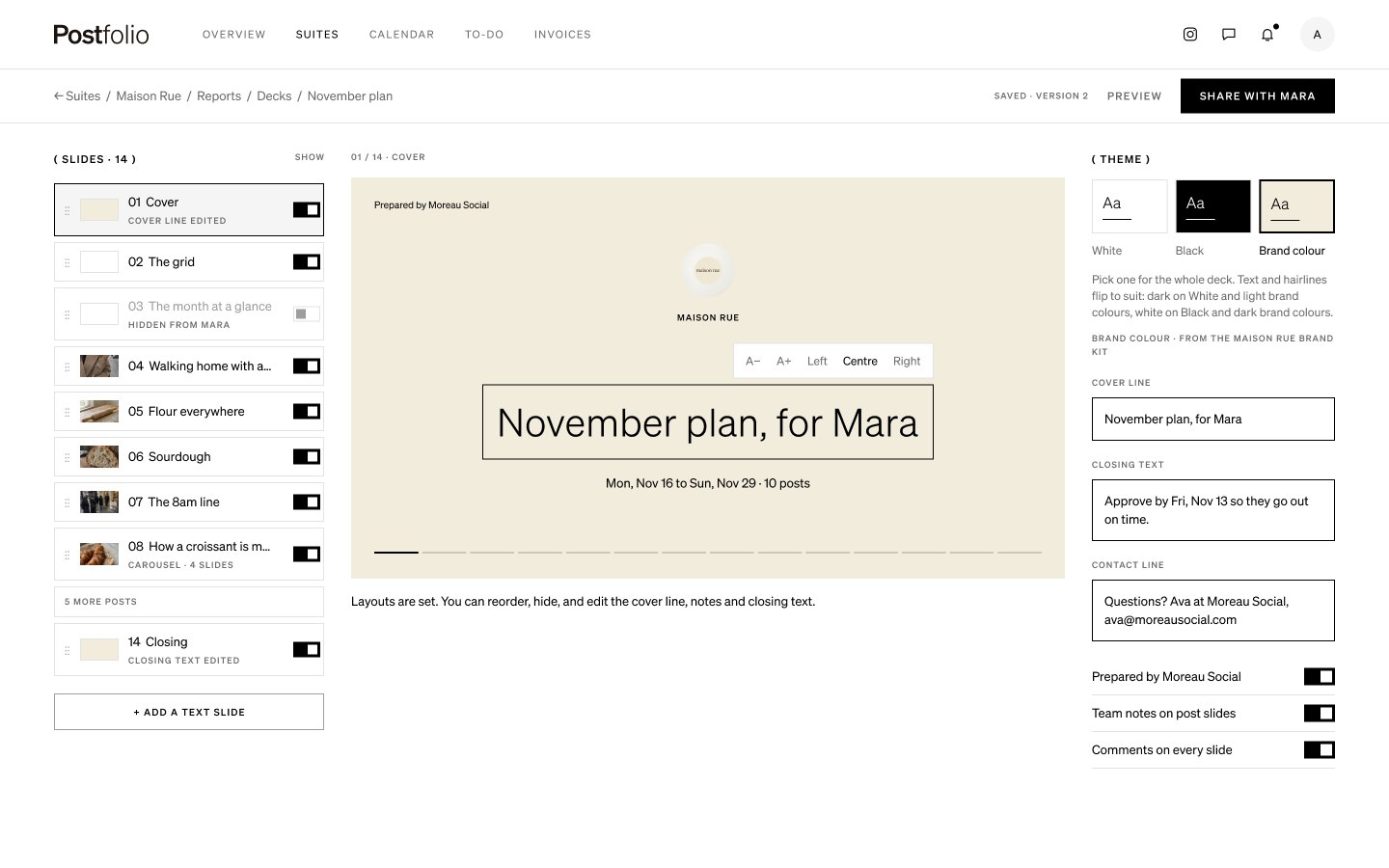
Shape the deck
Drag slides to reorder them, hide the ones you don’t need, and edit the cover line, notes and closing text. Layouts are set, so every deck looks right.
04
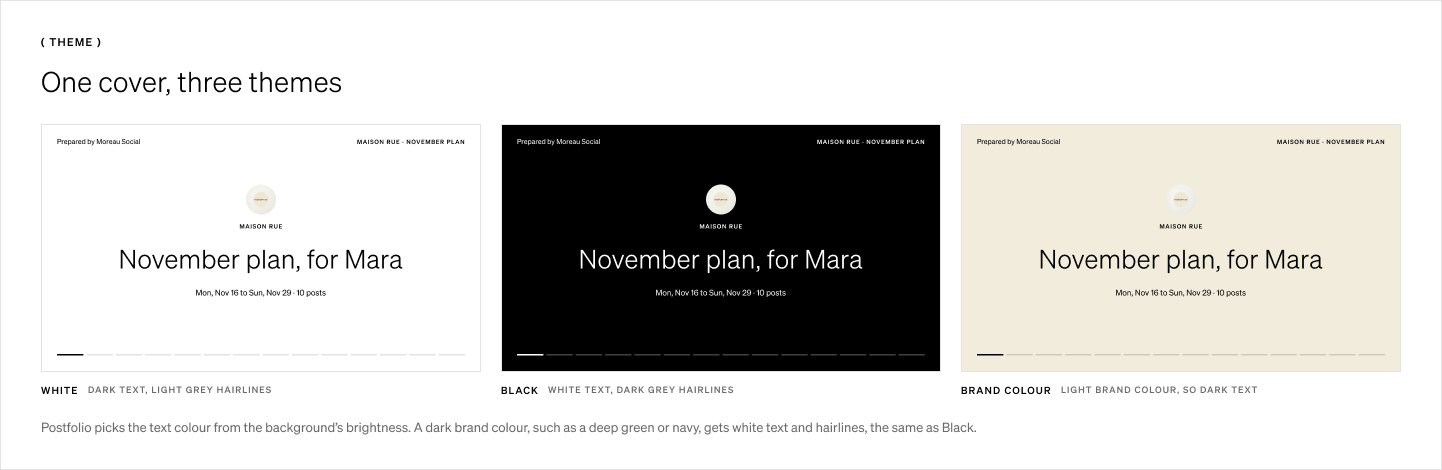
Pick a theme
White, Black or your brand colour. With Brand colour you can set the background, headings and body text, and add a cover image. Postfolio warns you if text and background are too close in contrast.
05
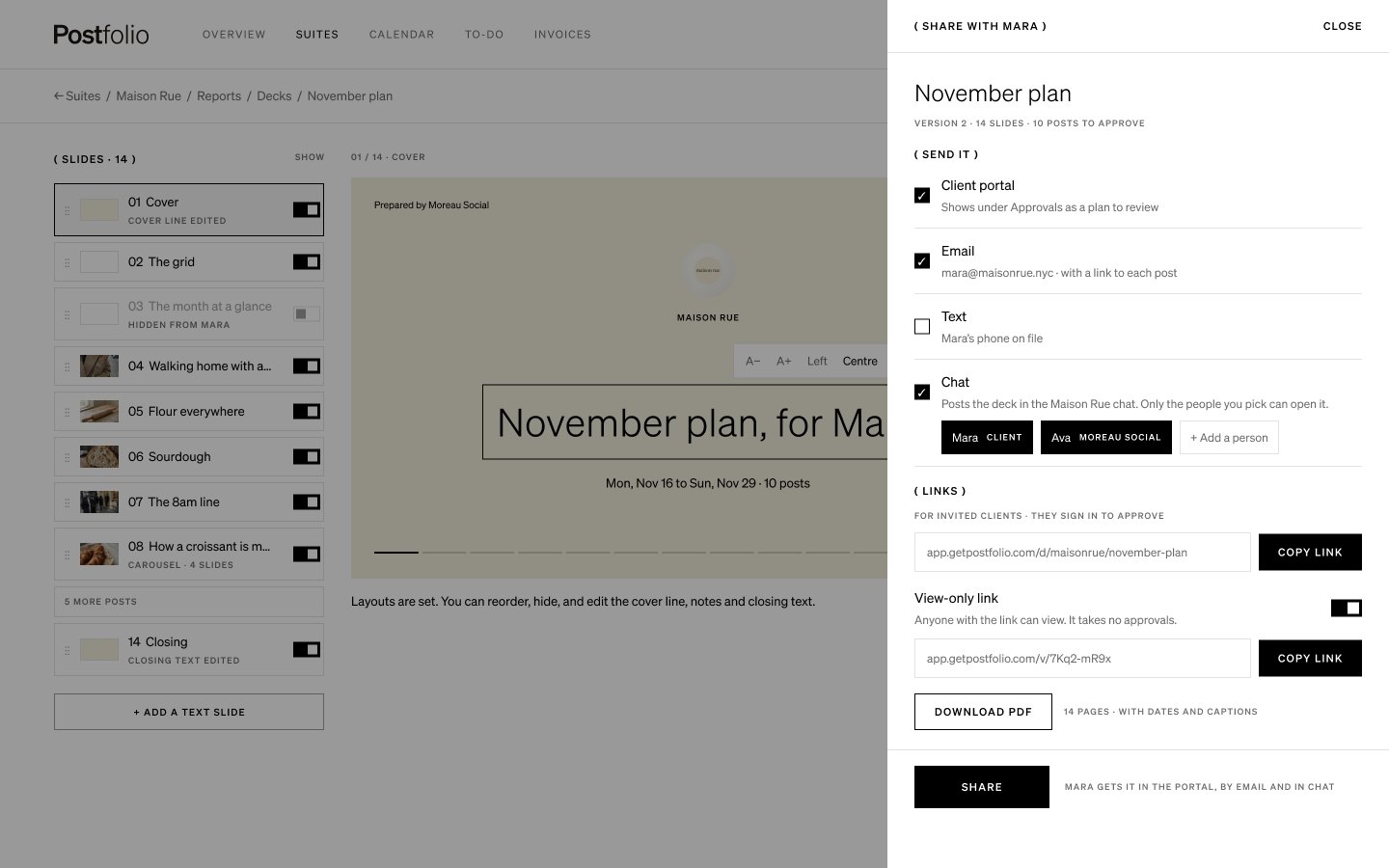
Share it once
Tick where it goes: the client’s portal, email, text or the chat. Press Share once and it goes to all of them. Copy the link for invited clients, turn on a view-only link for anyone, or download the PDF.
06
Your client reviews it
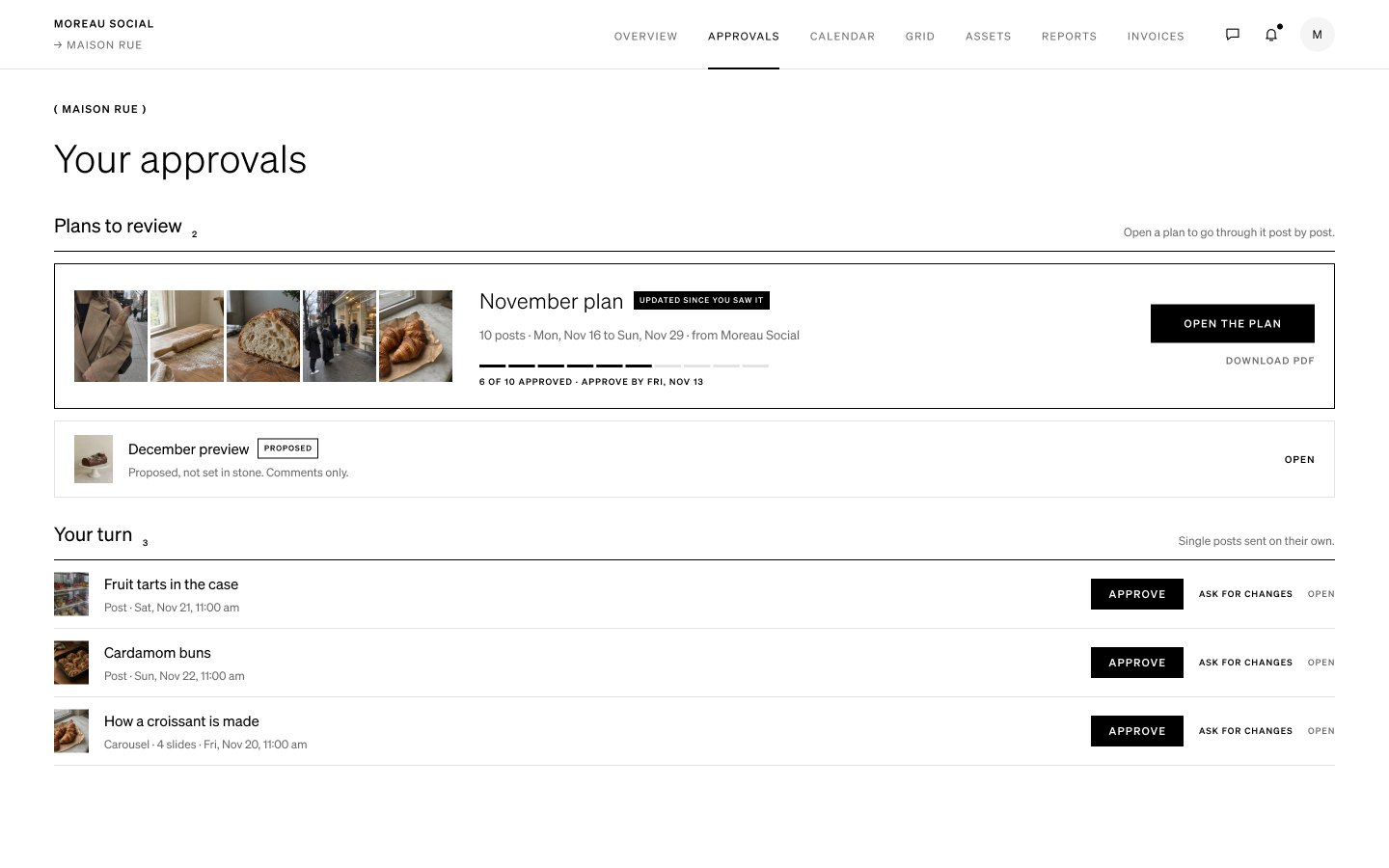
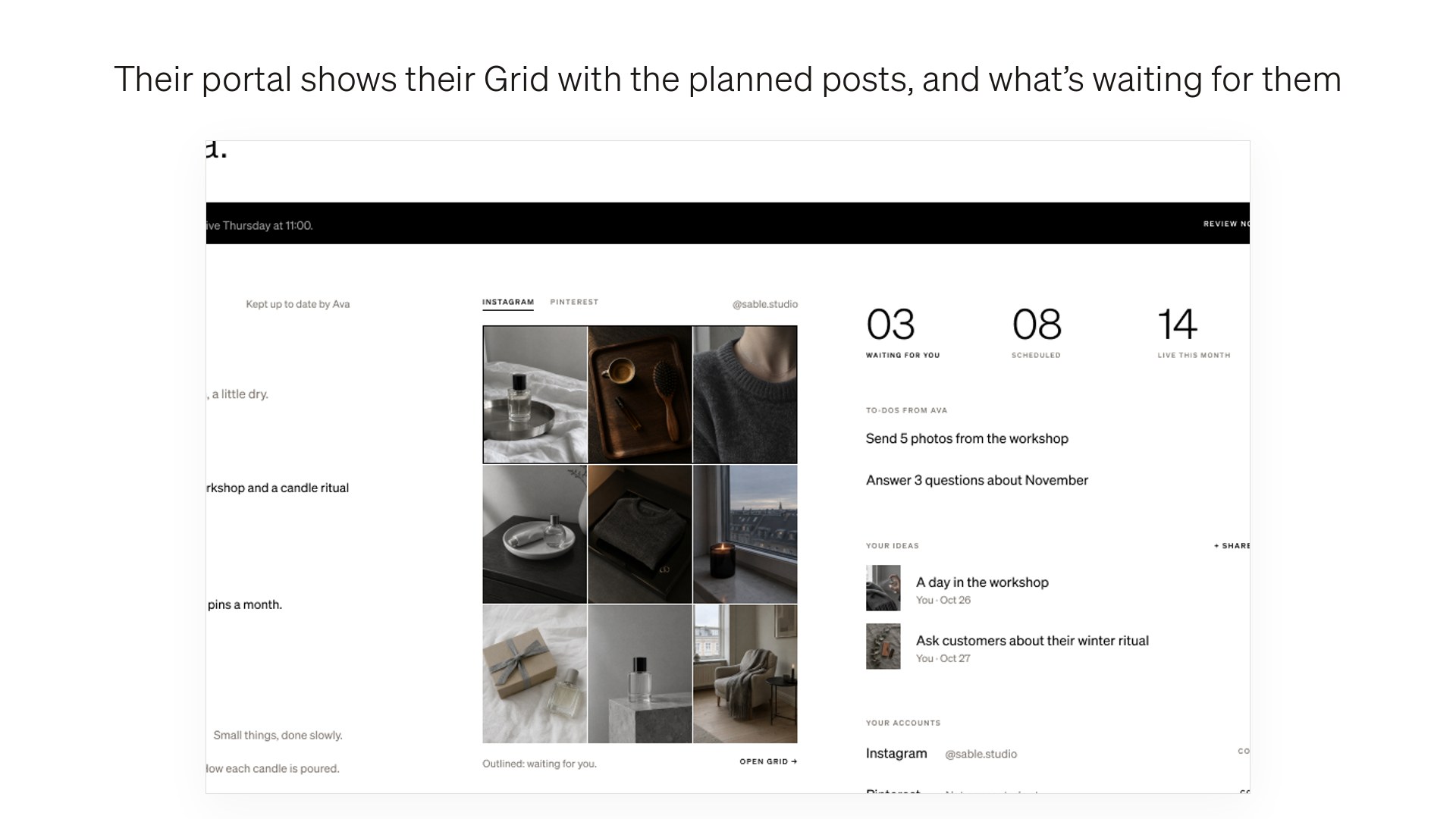
The plan shows at the top of the client’s Approvals. They go through it post by post. They can also find it in the bell, the email or the chat.
07
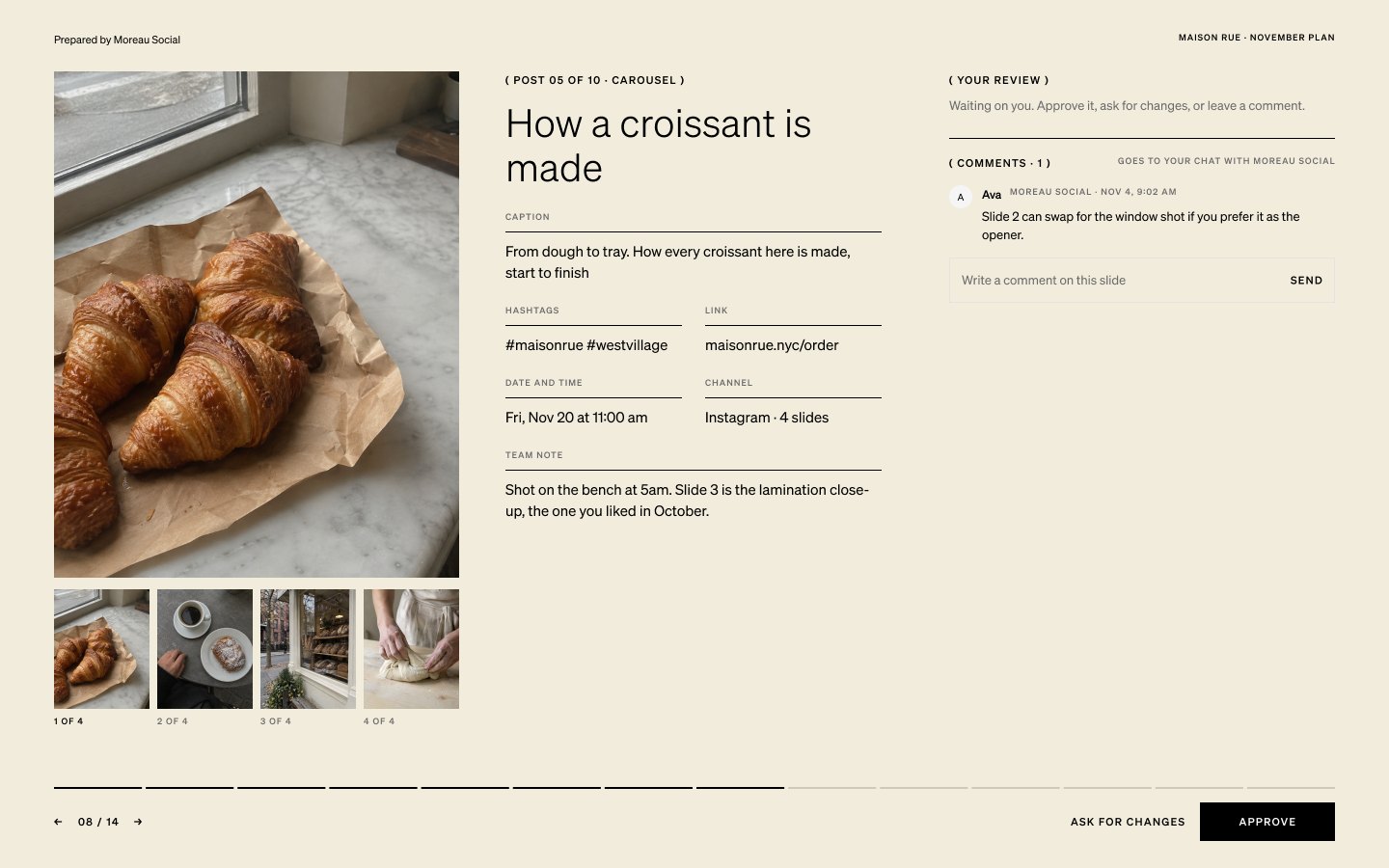
Approve, ask for changes or comment
On each post they can Approve, Ask for changes, or leave a comment that goes to your chat. Approvals here are the same as anywhere else in Postfolio. The view-only link and the PDF can be read but not approved.
08
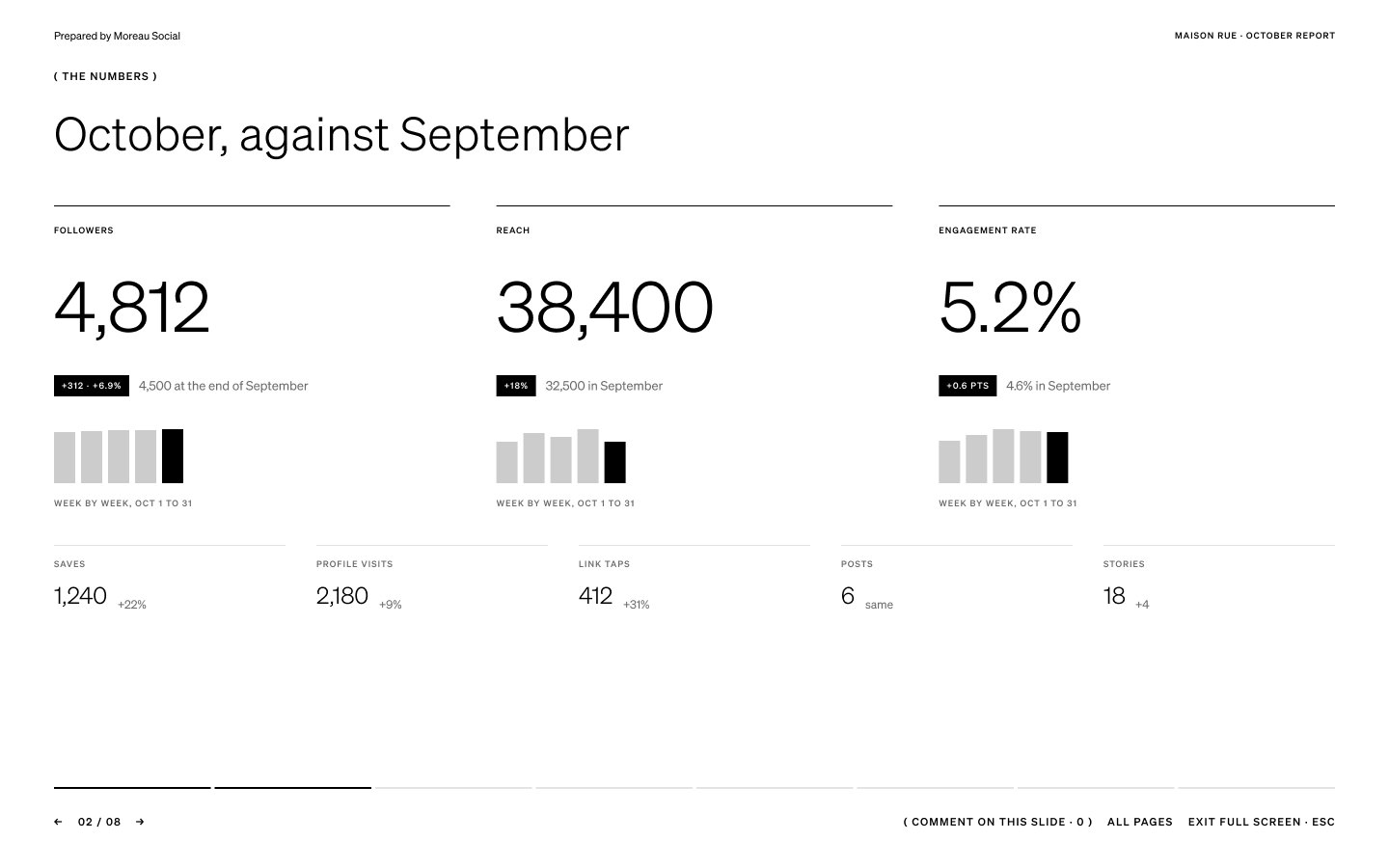
Reports work the same way
A Monthly report, Campaign report or Quarterly review shows the numbers against the period before, the top posts, the grid and what you’ll do next, which you can edit. Clients can comment on every slide.
Next tutorial
 Share your content plan and Grid with a client →Clients and approvals · 27 sec
Try it in Postfolio
Open Postfolio and follow the steps.
New to Postfolio? Every plan is $10 for the first month.
Still stuck? Write to us or book a walkthrough.