OlioVideo · 35 sec · 5 steps · November 17, 2026
Let Olio plan your month
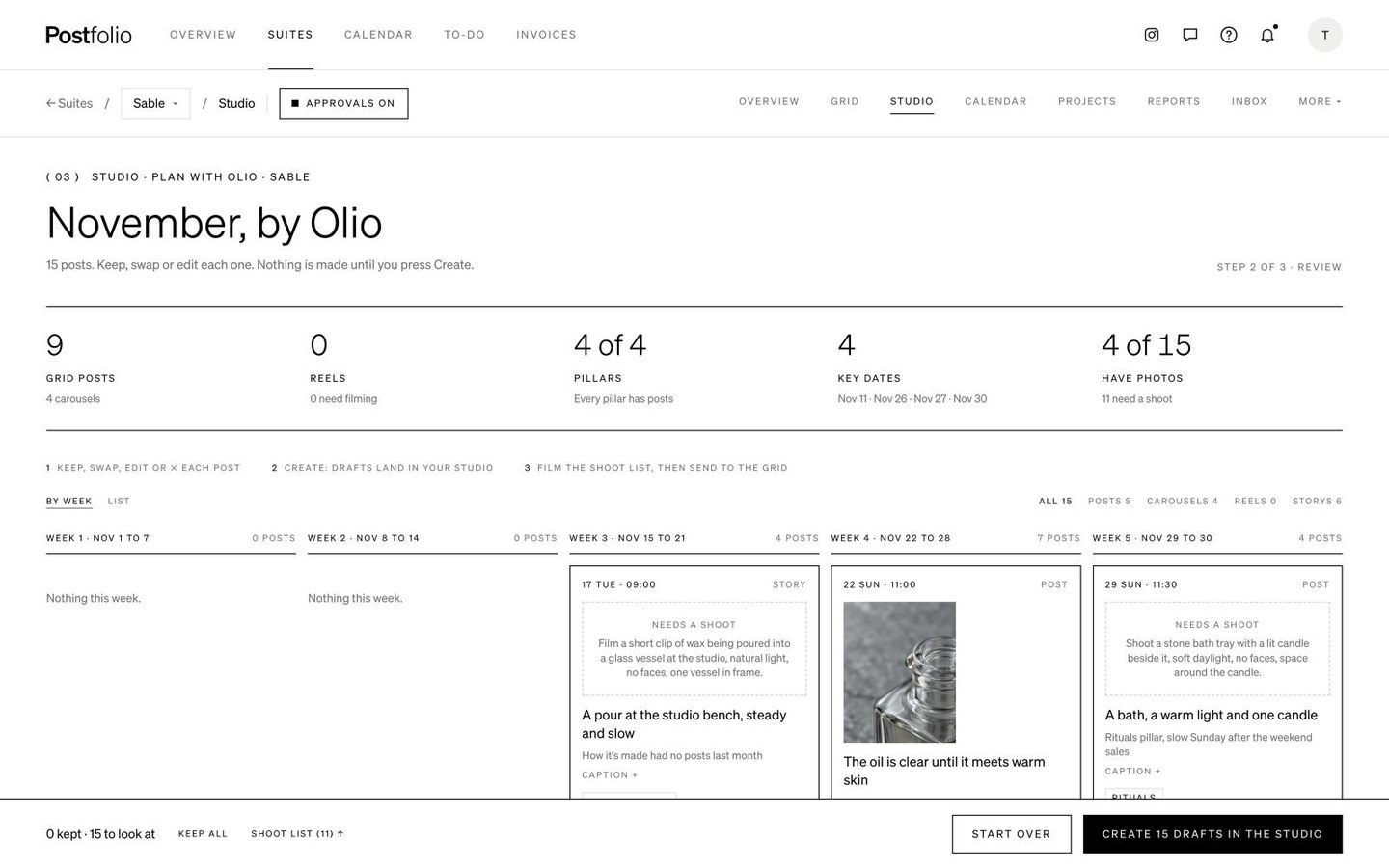
Olio drafts the month from what it knows about the brand. You keep, swap or edit each post before anything is made.
01
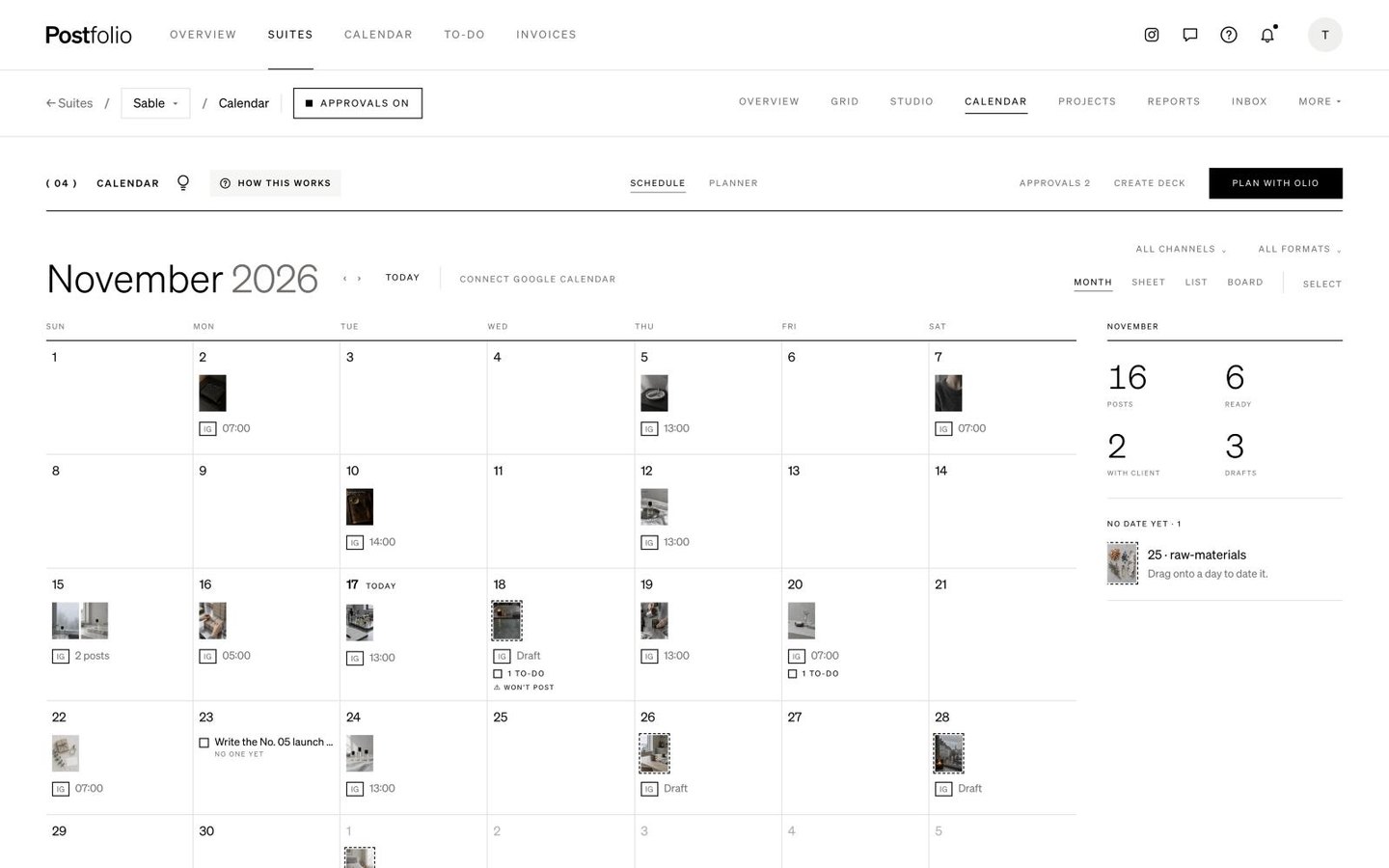
Press Plan with Olio
It’s on the Calendar, at the top right.
02
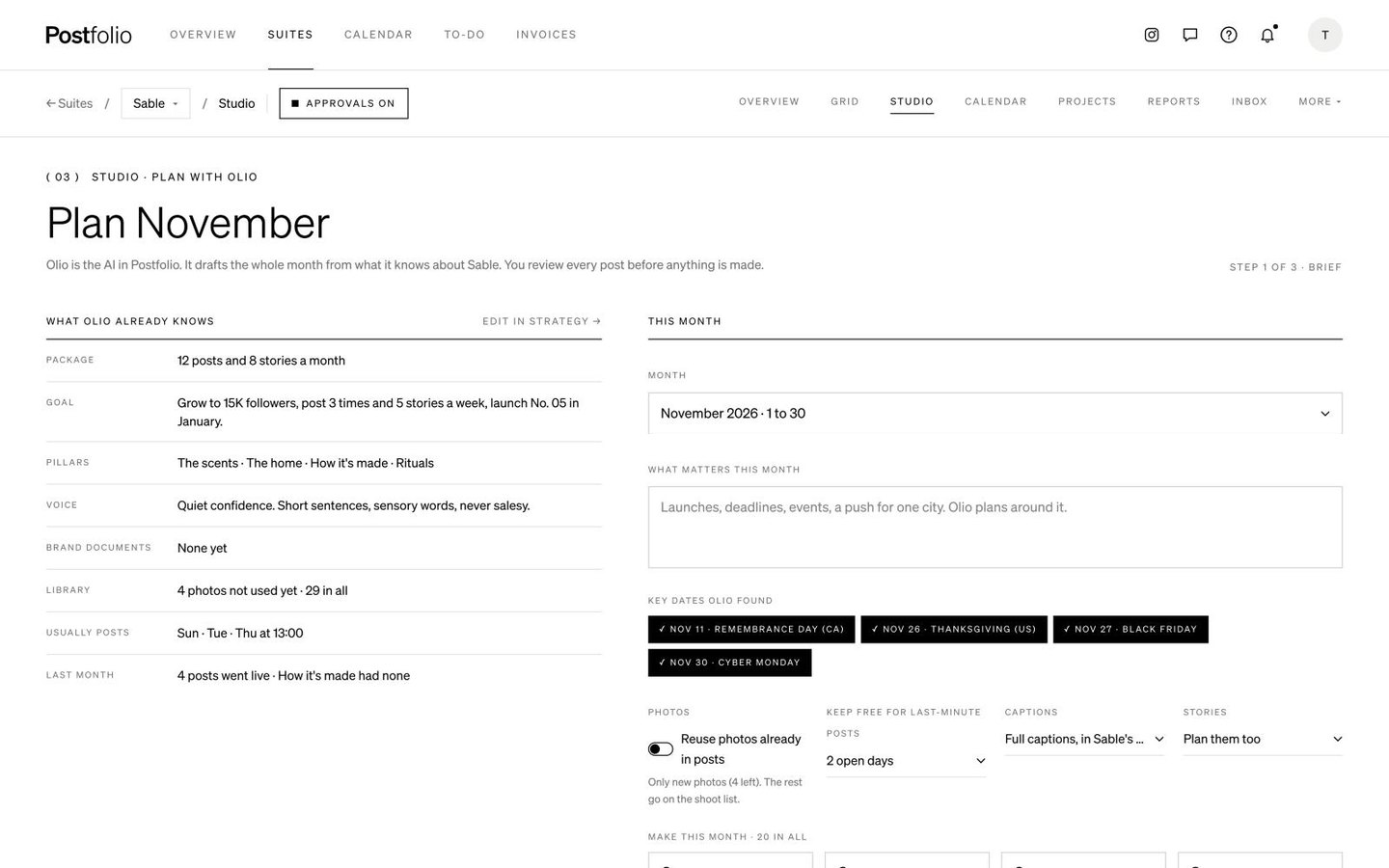
Check what Olio knows
Package, goal, pillars, voice, photos and when the brand usually posts. Edit any of it in Strategy.
03
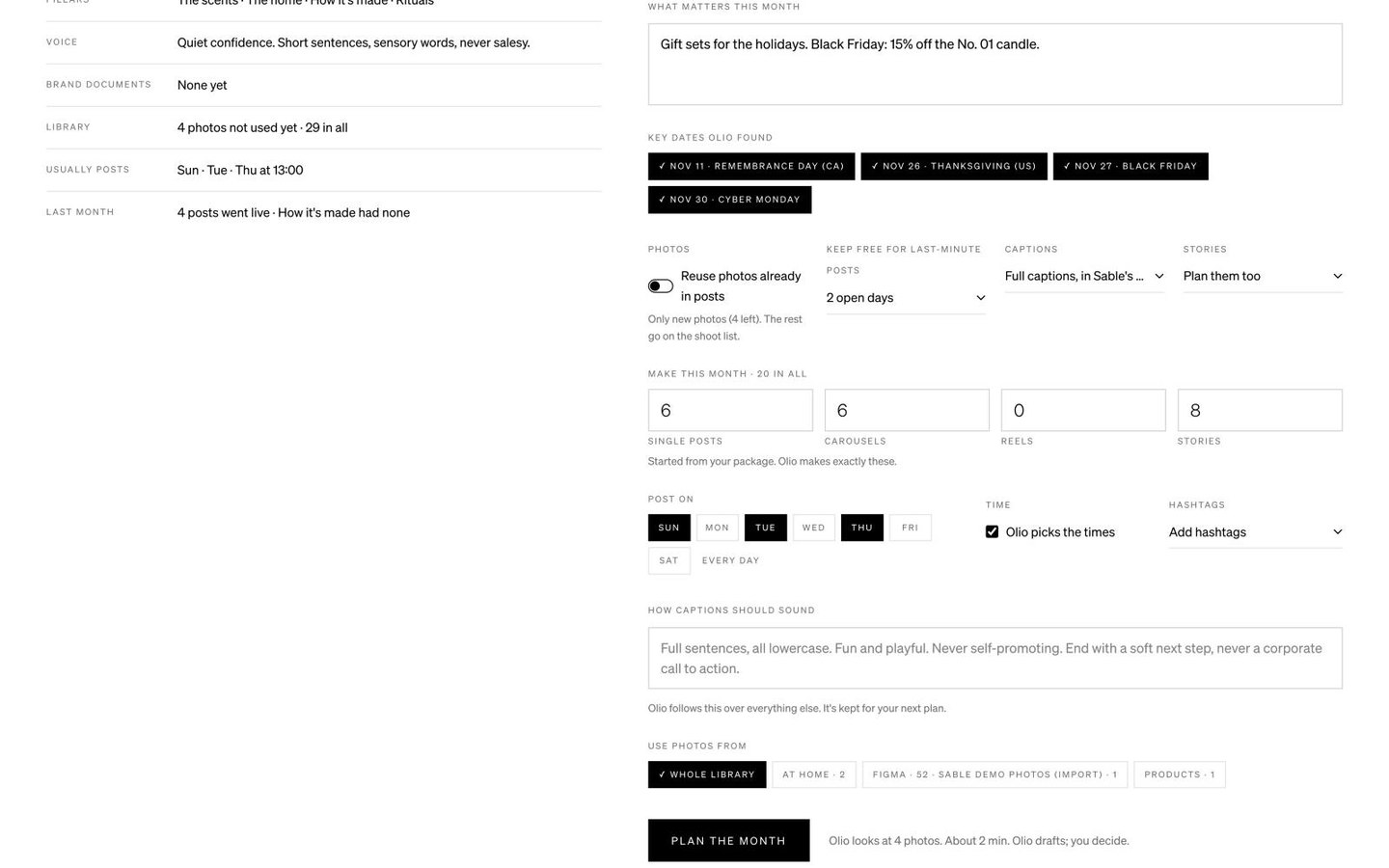
Tell it what matters
Launches, sales or events this month. Olio finds the key dates itself.
04
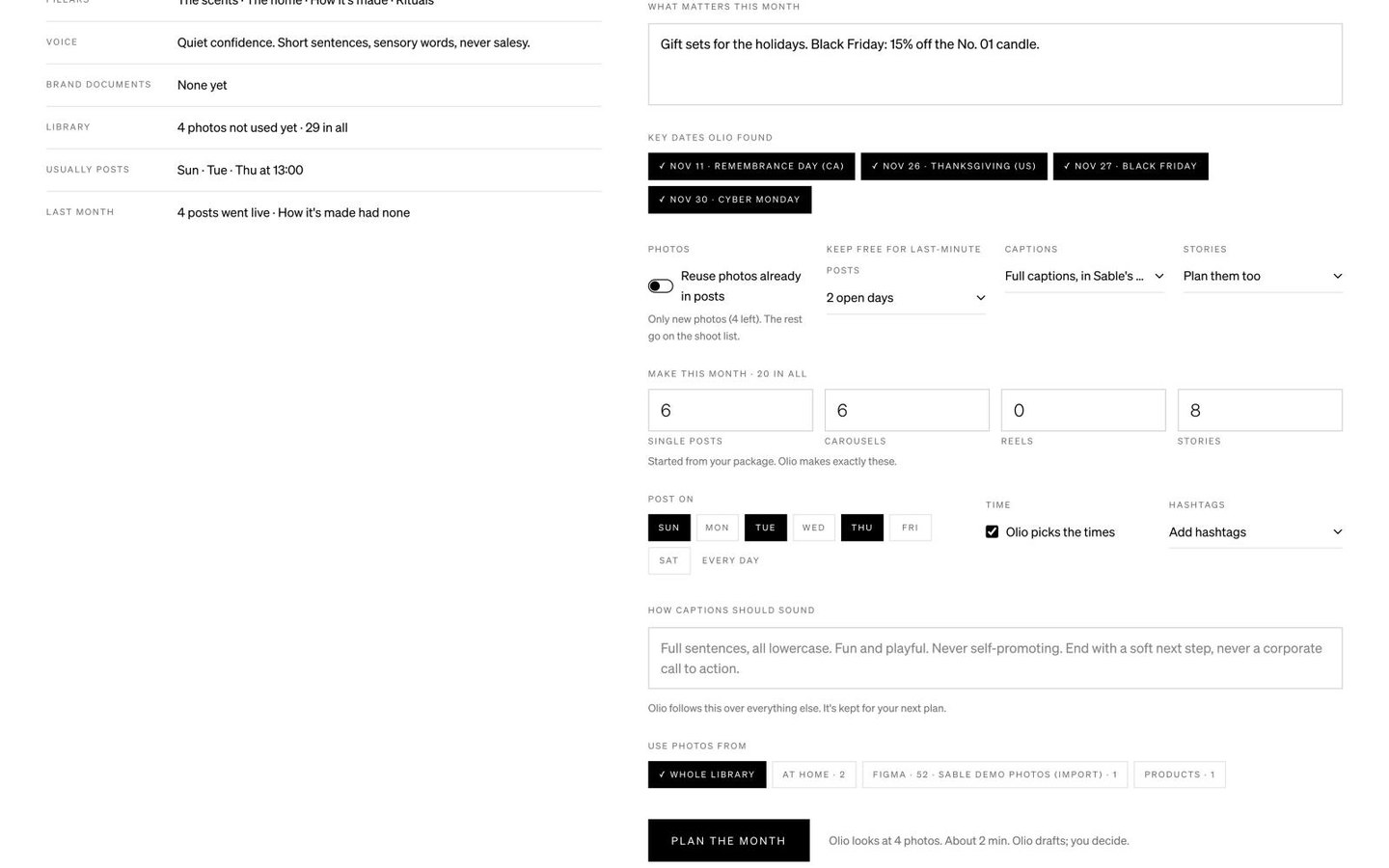
Plan the month
Pick how many posts, carousels, reels and stories, and which days. Then press Plan the month. It takes about two minutes.
05
Review and create
Keep, swap or edit each post. Create puts them in the Studio as drafts, with a shoot list for photos you still need. Nothing posts until you say so.
Next tutorial
 Add a brand →Getting started · 35 sec
Try it in Postfolio
Open a Suite and choose Studio.
New to Postfolio? Your first month is $10 on monthly plans, then the regular price. Have a free-month code? 30 days free, no card to start, a card by day 14.
Still stuck? Write to us or book a walkthrough.