Moving from Buffer to Postfolio
Postfolio is built for people who run social media for more than one brand: a calendar for each, a Grid that shows the real Instagram profile, client approvals in their own portal, reports and invoices. Here’s how to bring your posts with you.
Buffer exports posts that already went out, but not the ones still in your queue.
- 1Ask Buffer support for a CSV of your posts, with their captions, dates and photo links.
- 2For posts already published: in Buffer, open Analyze, pick the channel and dates, and choose Export as CSV.
- 3In Postfolio, open the brand’s Assets, press Import, choose A spreadsheet and upload the file. Each row becomes a draft with its caption, date and photos.
- 4Photos not in the file? Upload them to Assets, then group them into posts in the Studio.
Rather not do it yourself? After you sign up, send us your file from Assets › Import, and we’ll bring it in for you.
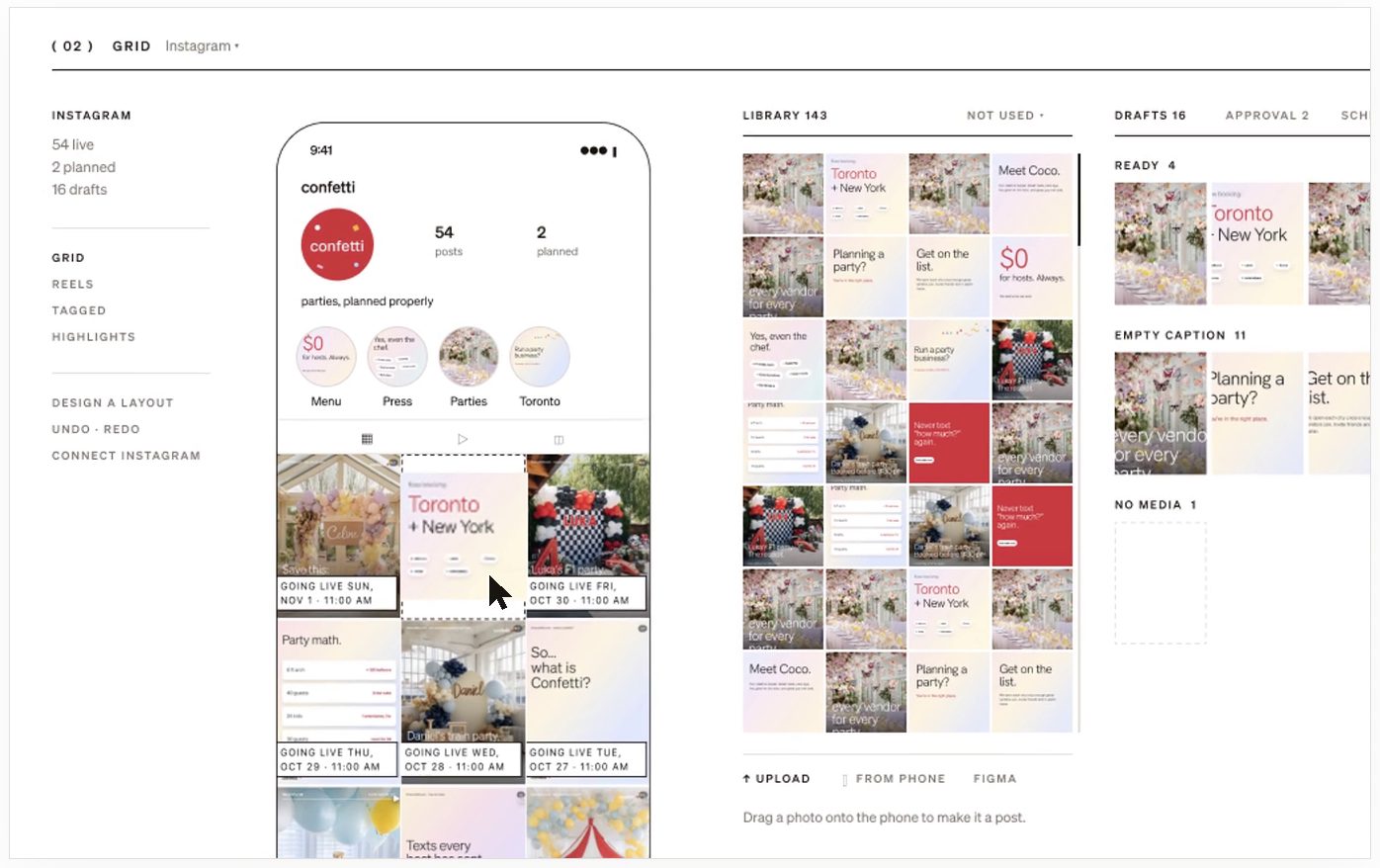
What you get in Postfolio
- Instagram grid plannerPlan your Instagram grid exactly as it will look. Drag posts into place, see the real profile with dates on every tile, and schedule from the same screen.
- Client approvalsSend posts to clients for approval in their own portal. They approve or ask for changes in a click, and nothing goes live until they do.
- Social media calendarOne social media calendar for every brand you run. Plan the month, see what needs approval, and schedule to Instagram, TikTok, Facebook and Pinterest.
- InvoicesSend clients invoices from Postfolio. They pay by card, and the money goes straight to your own bank account through Stripe.
- OlioOlio is Postfolio’s assistant. Text it over iMessage to make drafts, write captions, plan the month and check what’s going out.
- ReportsMonthly social media reports in plain words: what happened, what worked and what to do next, with a view made for clients.
( Postfolio )
Plan, approve and publish for every brand you run.
A calendar for every brand, a Grid that shows the real Instagram profile, client approvals, reports and invoices. Your first month is $10.